Connect HubSpot MCP with Abacus AI Agent
Overview
Abacus AI is an all-in-one AI platform and a general-purpose agent powered by Abacus AI Agent. With the official HubSpot MCP server, you can securely connect your HubSpot account to Abacus AI and enable intelligent analysis, workflows, chatbots, and automated actions on top of your CRM data — all with read-only permissions for complete safety.
Install the app
You can connect HubSpot to Abacus AI in two ways — either directly through a natural-language query inside Abacus AI Agent, or by connecting from the MCP Server configuration page.
Option 1: Connect directly through a query
- Log in to your Abacus AI Home.
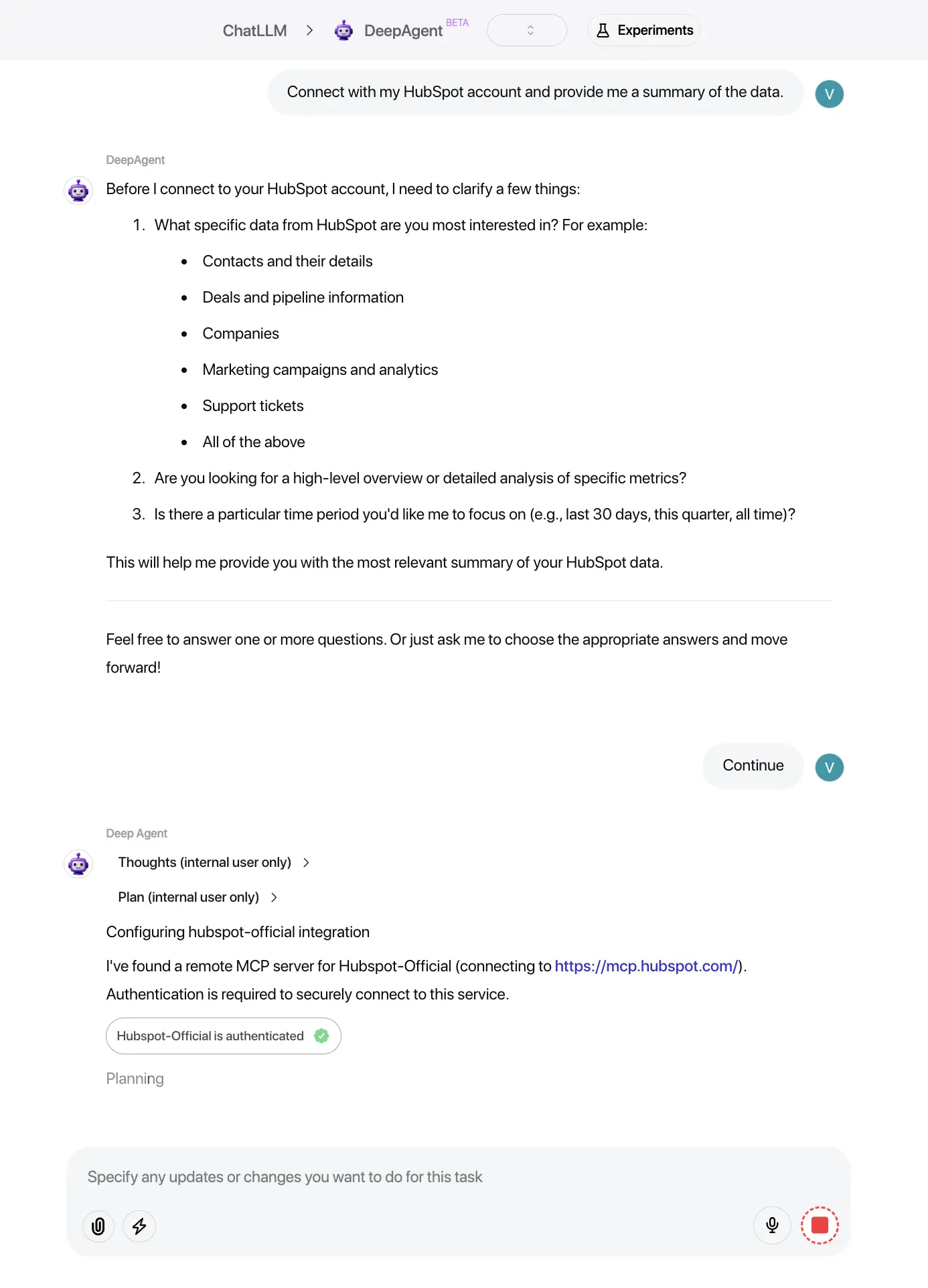
- Open the Abacus AI Agent interface and type a query that mentions HubSpot, for example:
- “Read my recent HubSpot deals.”
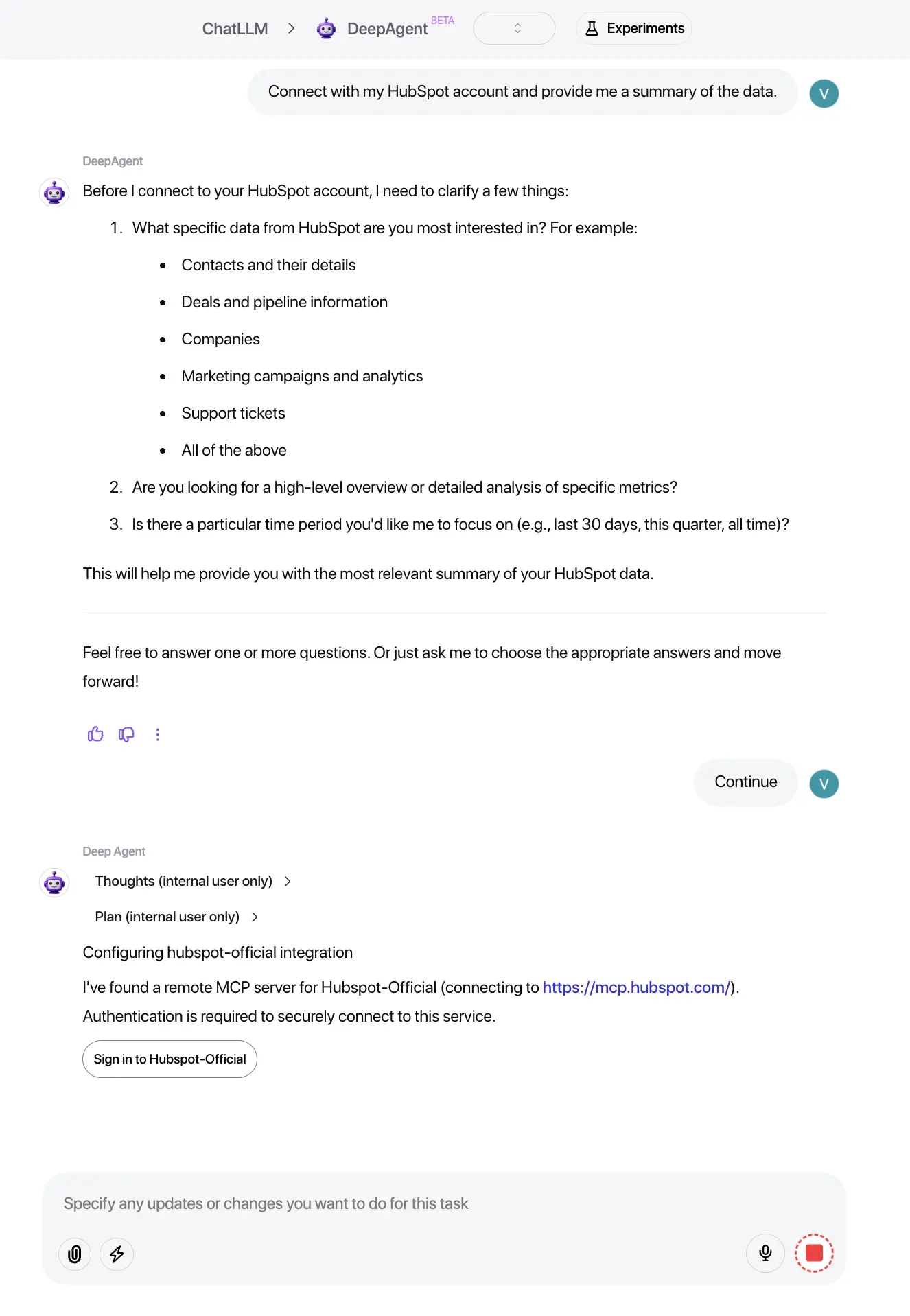
- Abacus AI will detect HubSpot is required and show a Sign in with HubSpot button.
- Click the button to begin the OAuth authentication flow.
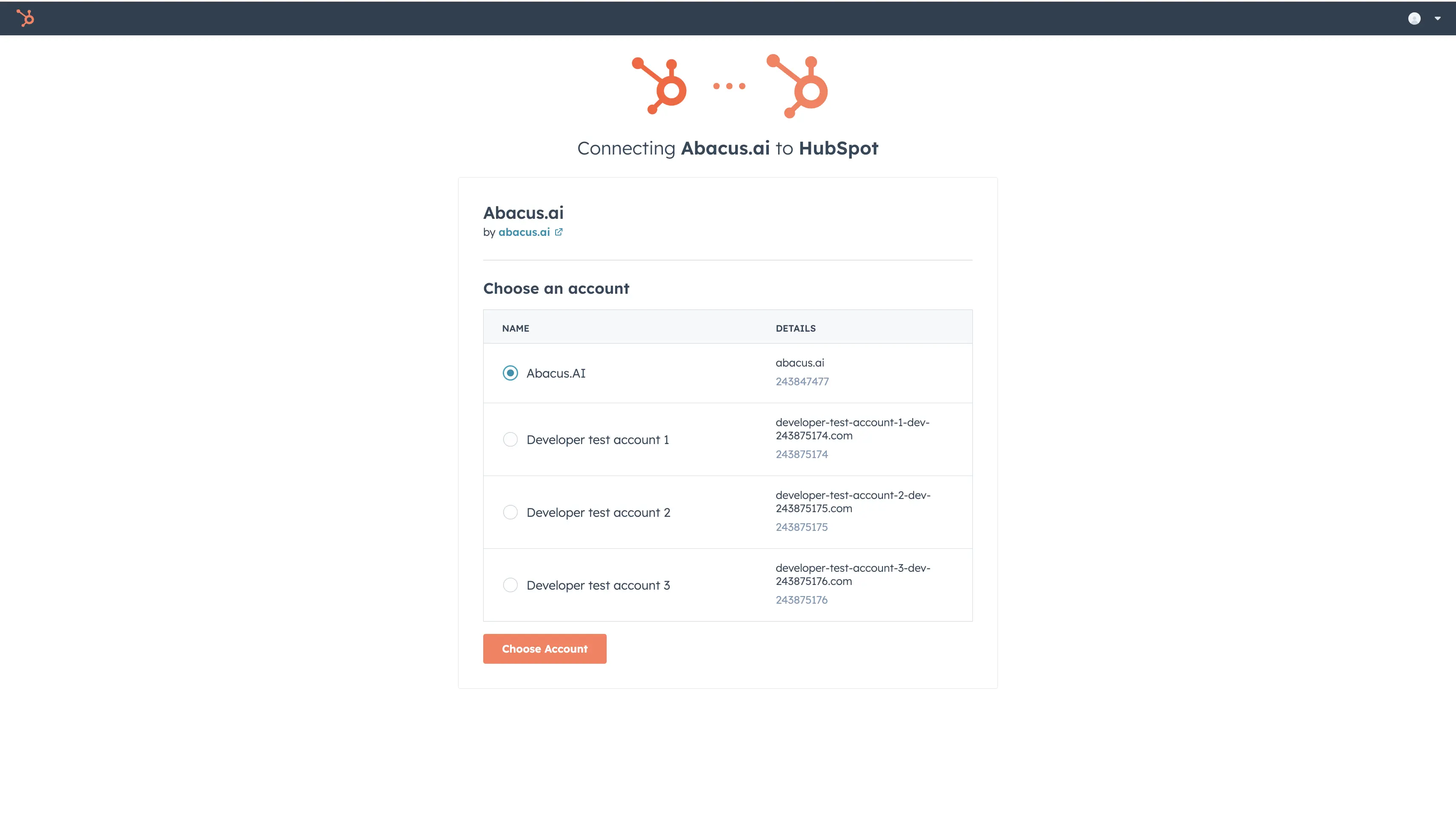
- Select the HubSpot account you want to connect.
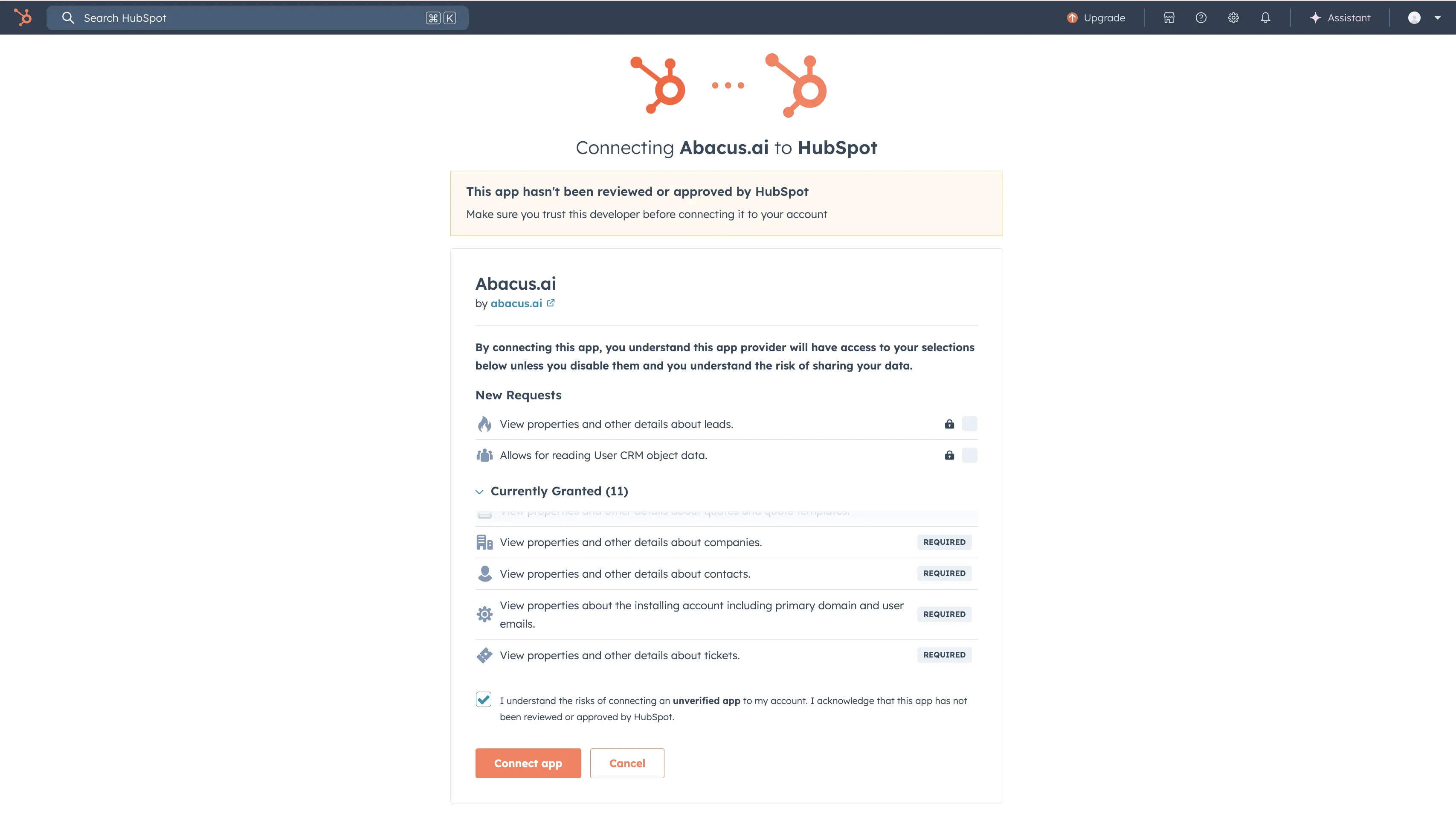
- Review the requested scopes (Abacus AI requests read-only permissions to CRM objects and properties).
- Click Connect app.
- After authentication you will be redirected back to Abacus AI. The HubSpot MCP Sign in button will appear as Authenticated and the task will continue automatically.
Option 2: Connect via MCP Server Configuration
- Log in to Abacus AI.
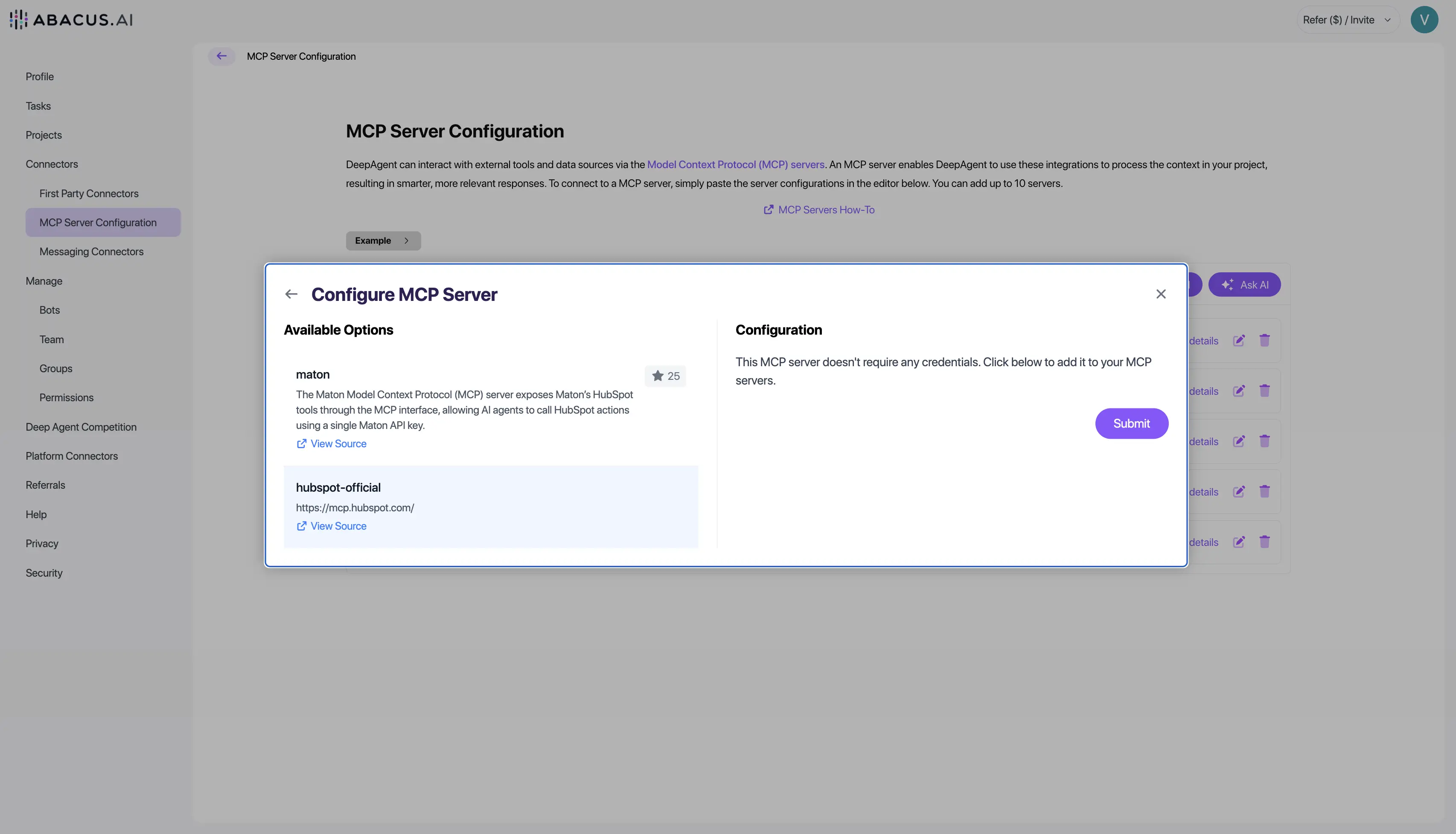
- Open Profile → Connectors → MCP Servers → Ask AI.
- Search for HubSpot in the list of available MCP servers.
- Click Connect next to HubSpot.
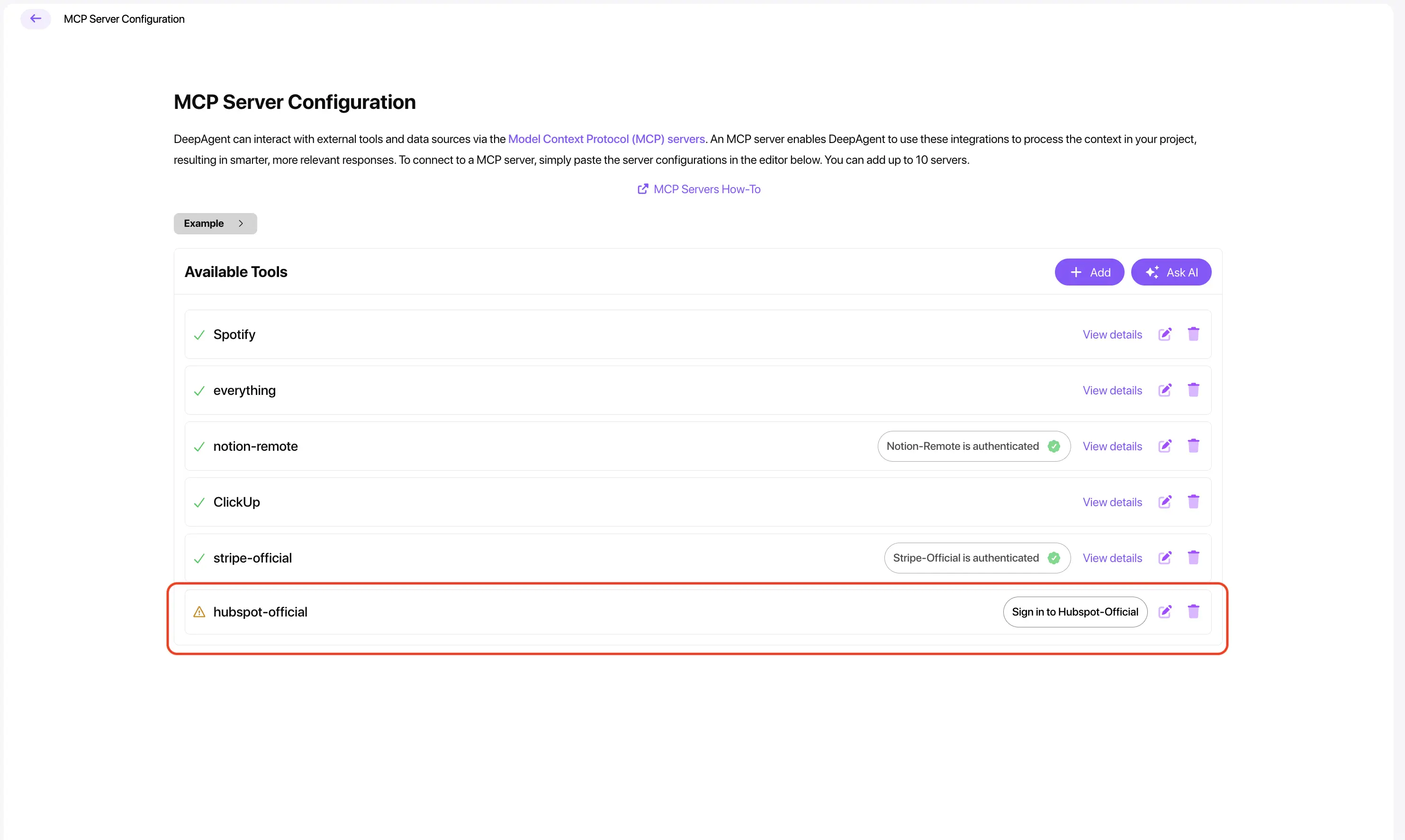
- Complete the OAuth sign-in process following the HubSpot prompts.
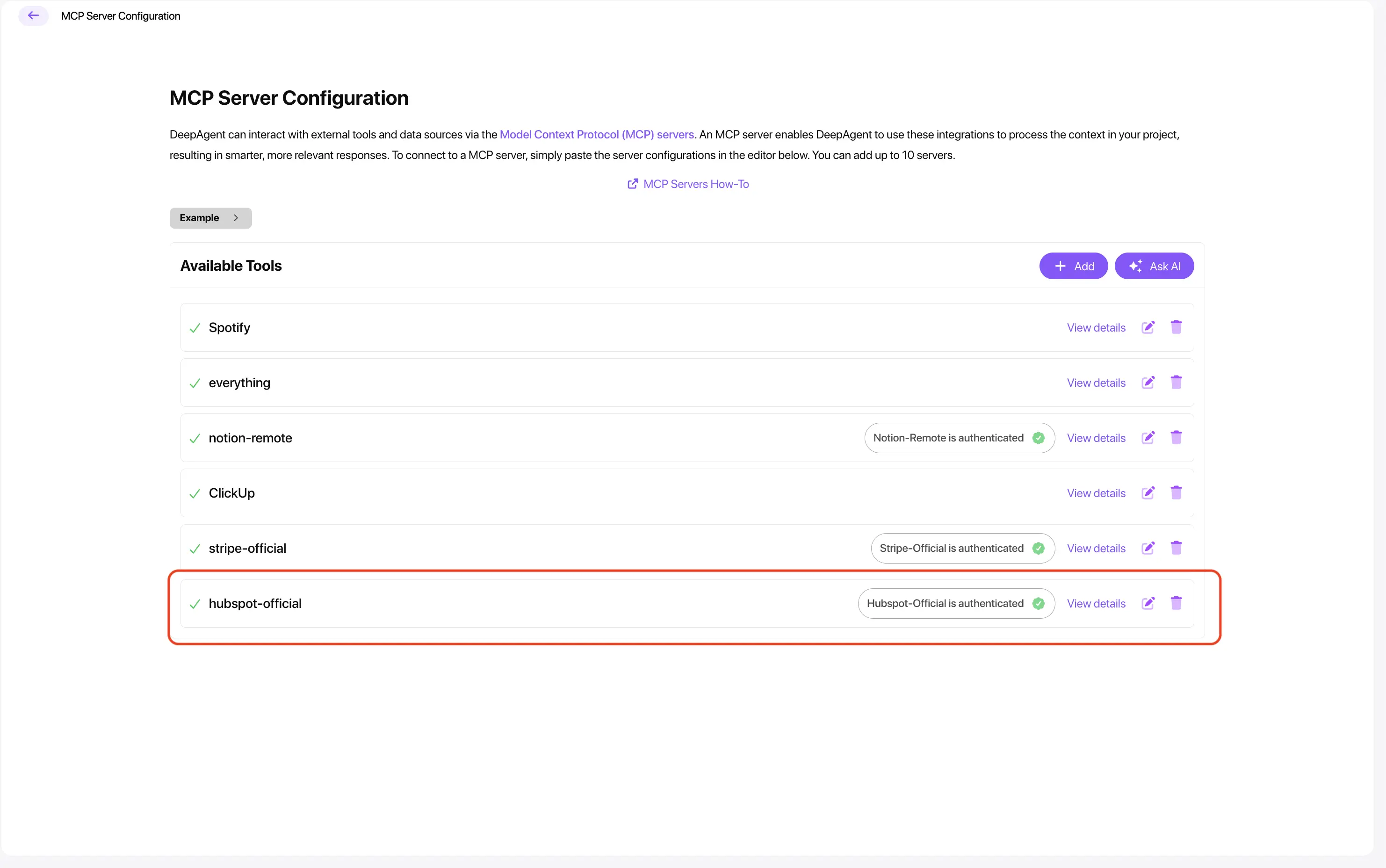
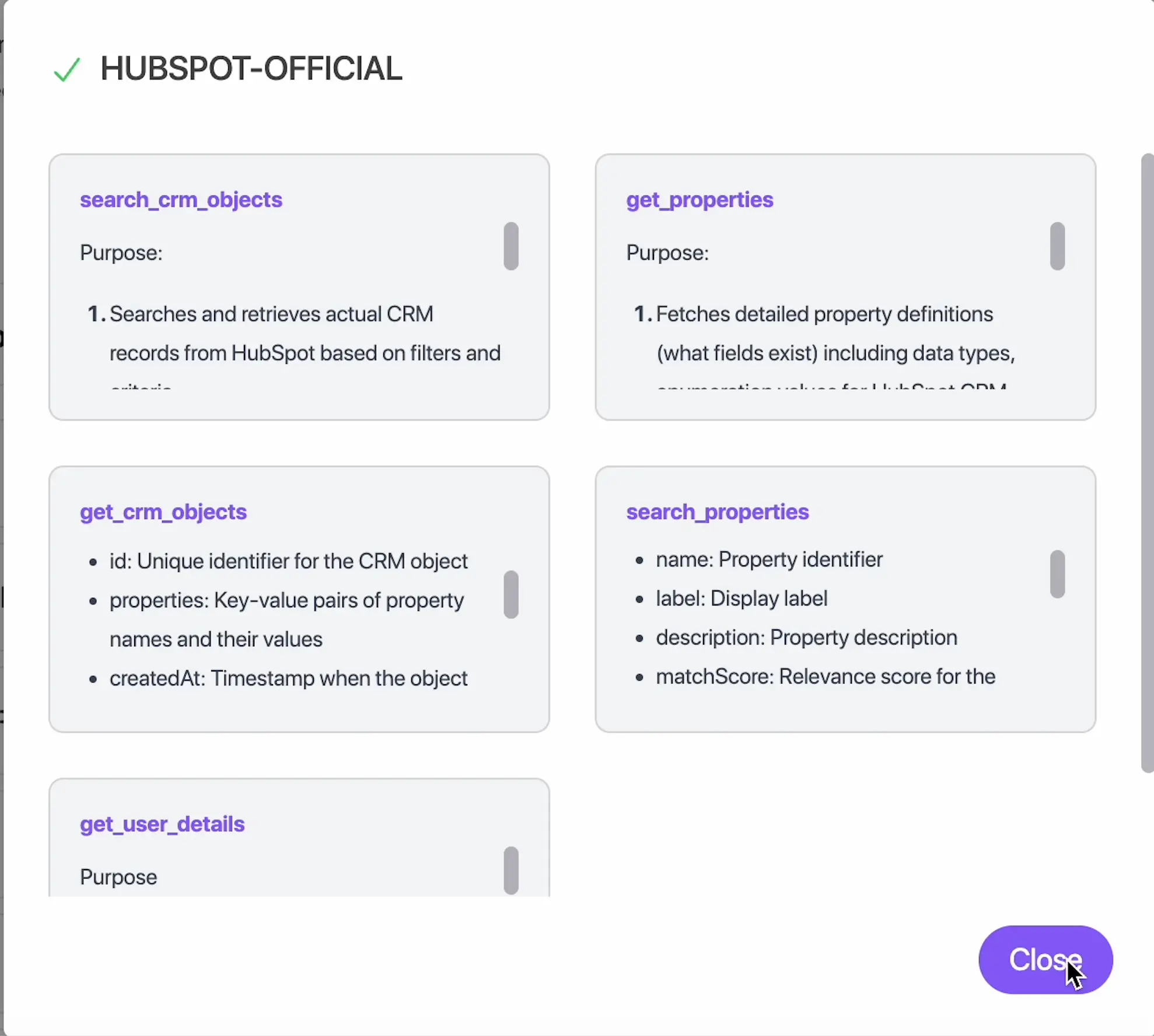
- Once authenticated, HubSpot will appear in your list of active servers.
Configure the app
No additional manual setup is required after connecting. The HubSpot MCP server immediately enables Abacus AI to read any CRM objects and properties allowed by the OAuth scopes you approved.
Using this connection Abacus AI can:
- Read CRM object records (contacts, companies, deals, tickets, etc.).
- Summarize or analyze CRM datasets.
- Build automated workflows using Abacus AI Agent.
- Power chatbots that use HubSpot data via MCP actions.
- Generate dashboards, insights, or reports based on CRM data.
Important: All data access is read-only — Abacus AI does not modify HubSpot data.
Use the app
Once connected, you can use HubSpot within Abacus AI immediately.
1. Natural-language queries
Ask Abacus AI Agent examples such as:
- “Summarize my latest HubSpot contacts.”
- “Show me deals created last week.”
- “Create a report of companies grouped by lifecycle stage.”
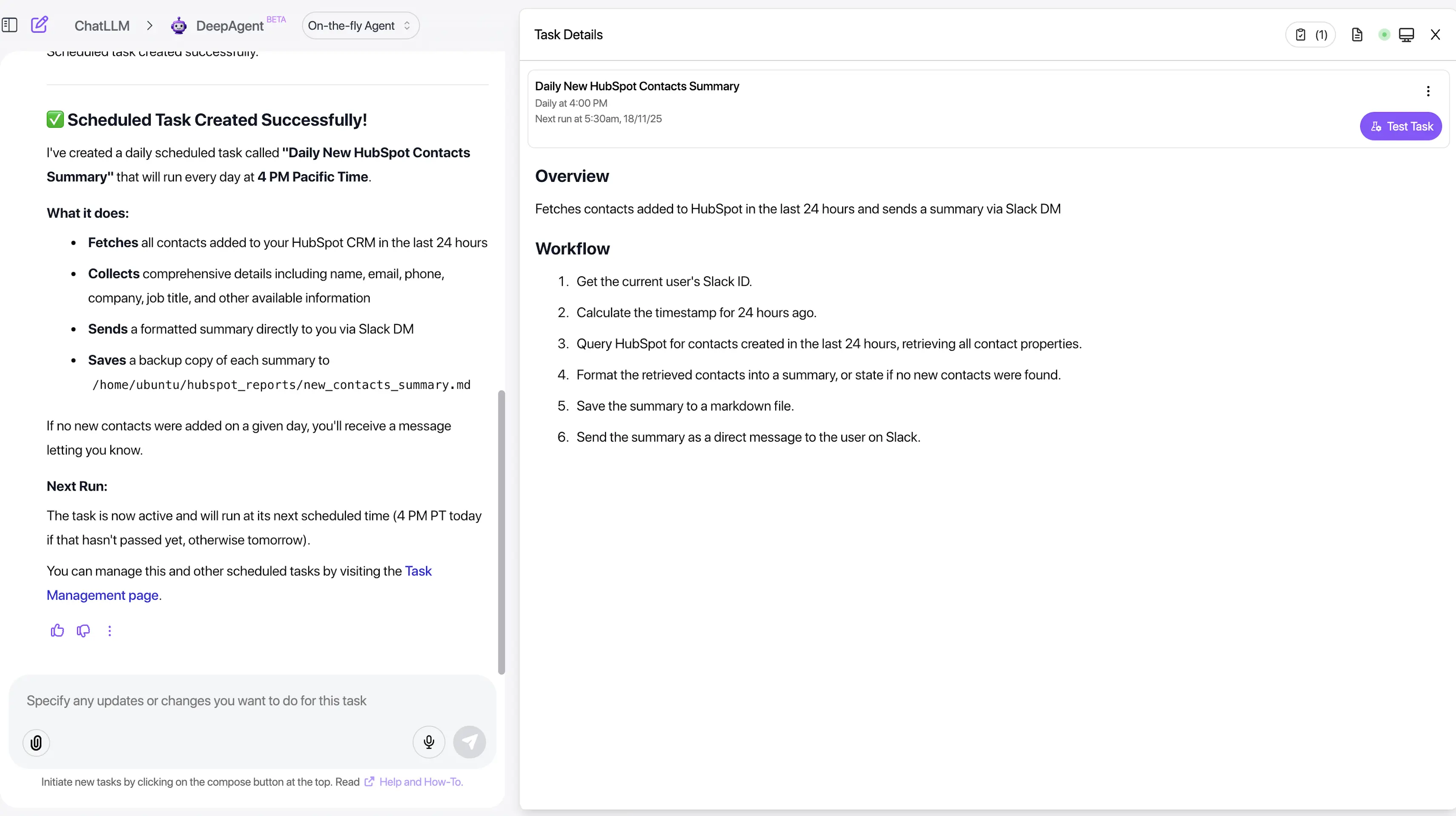
2. Automated workflows
Use Abacus AI Agent to build workflows that:
- Pull CRM data from HubSpot.
- Analyze or summarize that data.
- Trigger agent actions (e.g., generate reports, send notifications).
- Schedule periodic insights or reports.
3. Chatbots / AI apps
Create chatbots or AI apps that continuously read HubSpot data using MCP actions. Useful scenarios include:
- Customer support automation.
- Analytics assistants for sales teams.
- Sales enablement bots that surface CRM insights on demand.
Disconnect the app
To remove the HubSpot connection from Abacus AI:
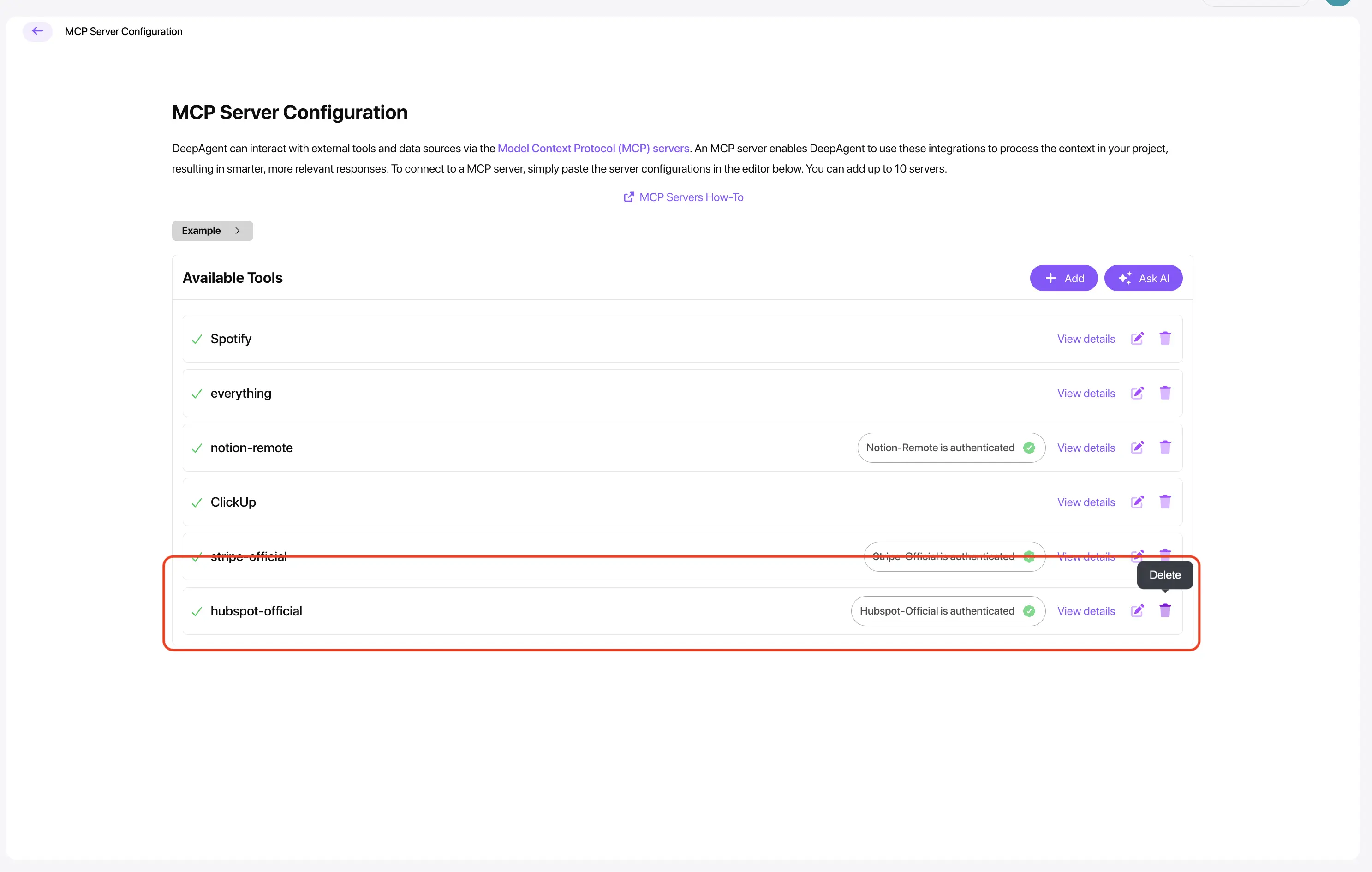
- Go to Profile → MCP Servers inside Abacus AI.
- Locate the connected HubSpot server.
- Click Delete or Disconnect.
- Confirm the action.
The HubSpot integration will be removed immediately and Abacus AI will stop accessing your HubSpot data.
Data handling after disconnecting
- Abacus AI does not store HubSpot data.
- Abacus AI does not modify any HubSpot records (read-only access).
- After disconnecting, no further data is accessed.
- Your HubSpot CRM remains unchanged and safe.
Uninstall the app
If you want to uninstall the integration completely from HubSpot, follow HubSpot’s official uninstall steps:
- In HubSpot, go to Settings → Connected Apps.
- Find Abacus AI in the list.
- Click Uninstall and follow prompts.