October 2026 Platform Update
Personal Agents
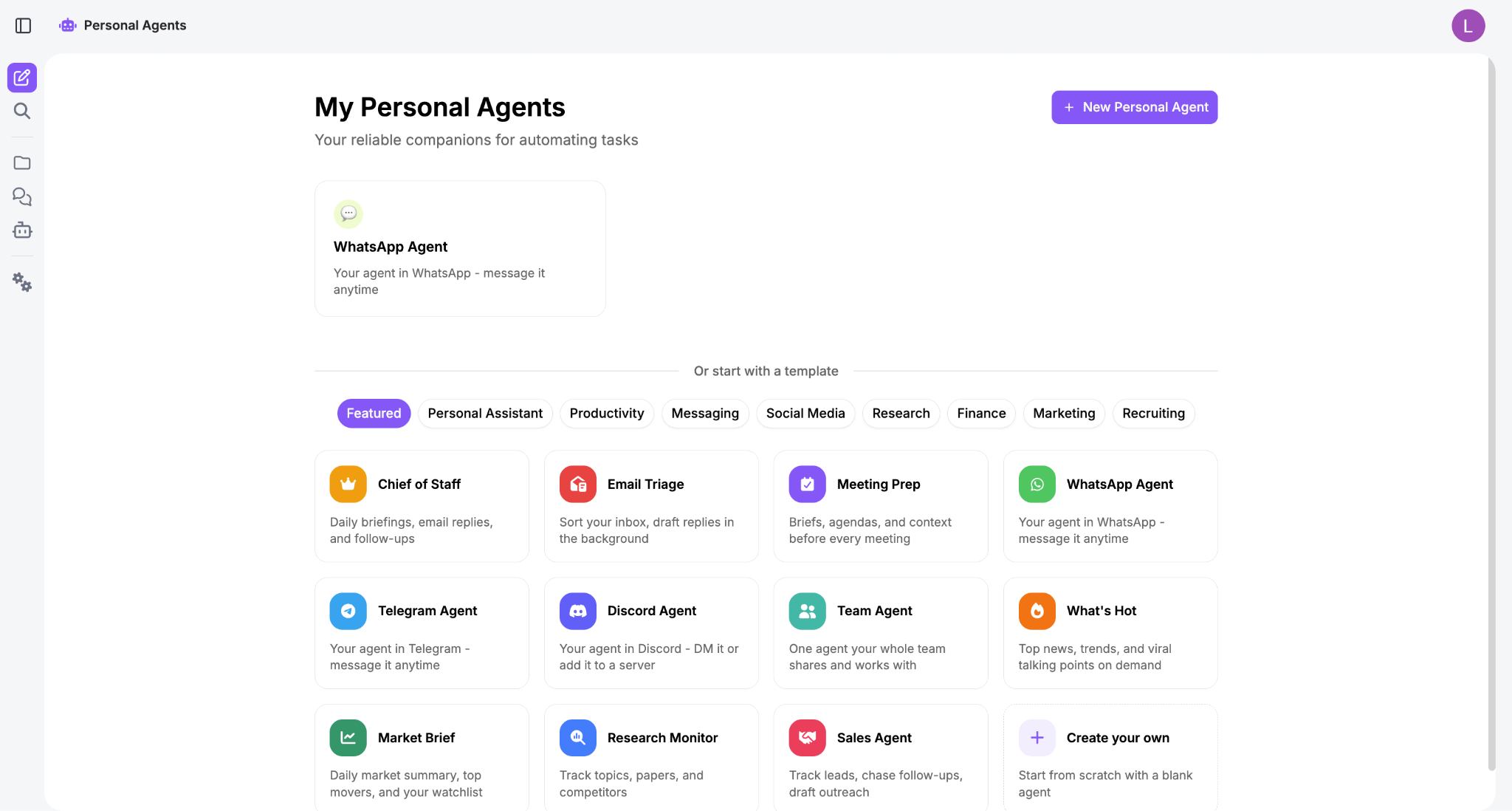
Introducing Personal Agents that live in the sidebar of your Abacus.AI workspace. They help individuals get work done > help teams achieve outcomes > and enable organizations to manage their entire system, through a Master Agent. You message them like contacts - Each agent has its own name, persona and long-term memory, so it remembers everything you tell it and keeps working for you in the background, even when you are not in the app. Personal Agents can do anything you would ask a capable assistant, on repeat. You can even connect it to your favourite messaging apps, such as WhatsApp, so that you can chat with it in real time. Abacus.AI ships ready-made agents that you can start from in one click, such as:
-
Chief of Staff - Daily briefings, email replies and follow-ups.
-
Email Triage - Sort your inbox and draft replies in your voice.
-
Meeting Prep - Briefs, agendas and context before every meeting.
-
Sales Agent - Track leads, chase follow-ups, draft outreach.
You can also create your own from scratch: Give it a name, a persona, and instructions, and it's ready in seconds.
Here are three use cases to help you get started:
1. Give every employee a Personal AI Agent
Imagine every employee starting their day with an agent that already knows how to help them get work done. With Abacus.AI, every employee can have their own secure Personal Agent - an assistant that works with the tools and information they are authorized to access.
It can catch them up on the highest priority emails and Slack/ Teams messages, research a topic or build a presentation. It can even automatically handle recurring work using scheduled tasks.
2. Turn every project into a Human + Agent team
Now imagine that the agent isn't just helping individual employees, it's an active member of the project team.
Personal Team Agents give team members a shared workspace where people and agents can collaborate around a common goal. Particular projects can have their own team agents, shared skills, context, memories and connectors.
A team could ask its agent to analyze project data, build an internal dashboard, prepare documents or incorporate feedback from team members. The result is a new model for work: Humans provide goals, judgement and feedback while agents continuously help execute, even when team members are offline.
3. Give IT an agent for running AI across the organization
What if your administrators could manage your entire AI environment simply by asking an agent?
The Master Agent gives authorized administrators an intelligent control layer across the organisation. Instead of navigating through dozens of settings and workflows, an admin can ask the agent to add a new model, configure a connector or MCP server, manage access and change permissions. That means organizations can move quickly without giving up centralized governance or control.
Controlled access to Personal Agents
We have two new capabilities when it comes to sharing Personal Agents. The first is that Administrators can control who can create Personal Agents by navigating to Setting & Permissions > Access & Restrictions > Personal Agents. When off, users do not see Personal Agents and existing agents stop running. With groups selected, only their members (plus admins) have their own agents.
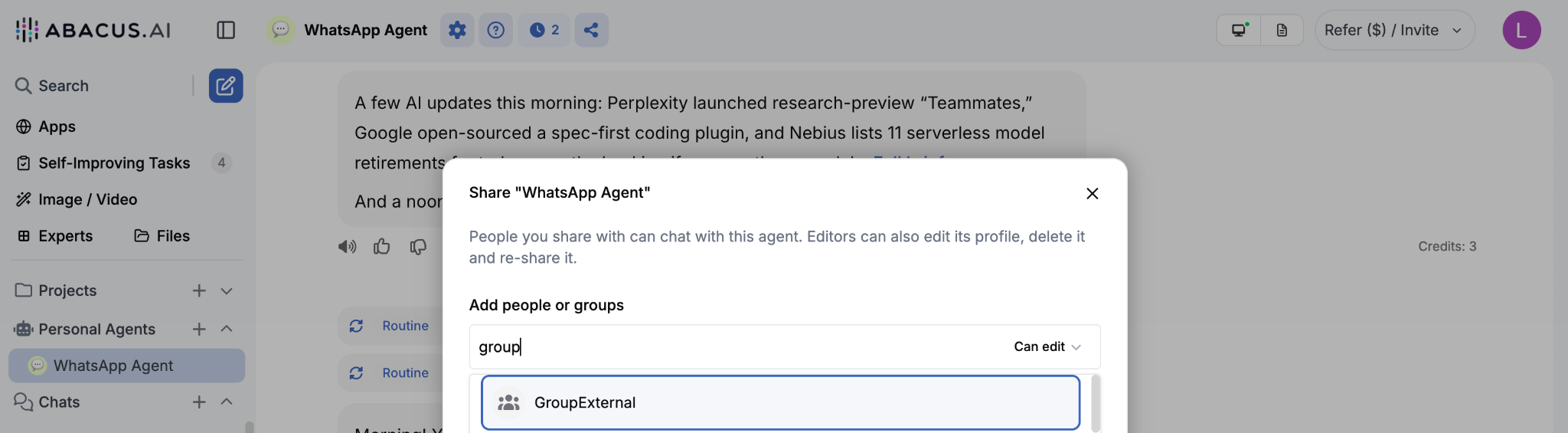
We have also introduced the ability to share created Personal Agents directly with groups, as well as people. To do this, you can click the share icon inside your personal agent and choose the group(s) and necessary permission level (chat or edit).
Organization brain
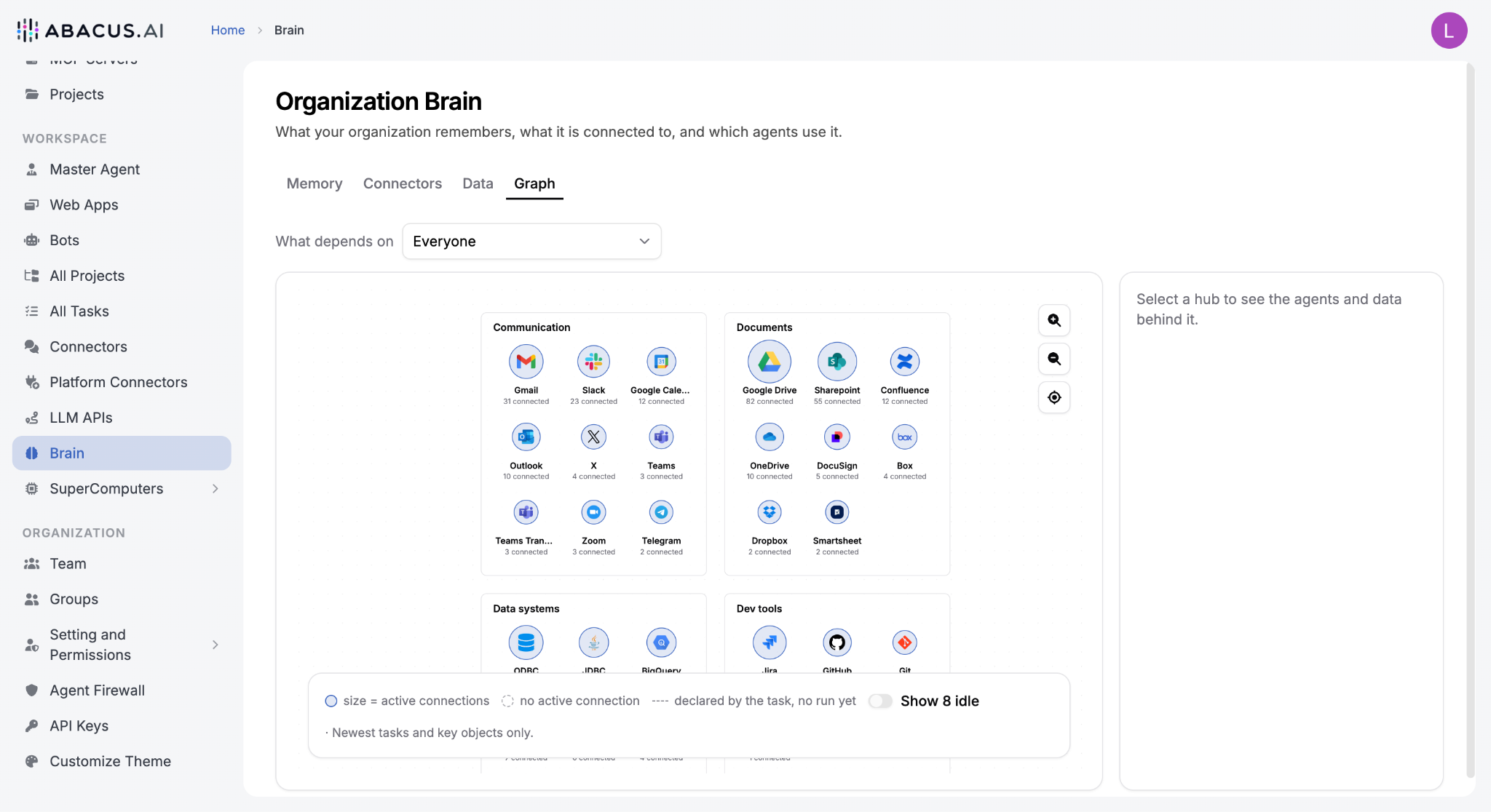
Organization Brain is the shared memory for your whole organization. It holds the terms, facts, contacts, processes and policies that every agent should know before a conversation starts, so your team does not have to repeat them in every chat. It can be found under Profile > Brain.
It is an admin page. Admins decide what the Brain may learn, review what it proposes, and see which connectors, data and agents the organization depends on. To bring up Configure AI Brain, select Configure inside the Memory tab. Learning remains inactive until you confirm and save your settings in this view.
A memory can come from three places:
An admin adds it. On the Memory tab, click Add memory. It is active immediately for every agent.
A member says it in chat. When someone tells an agent that the whole organization should know or follow something, the agent records it. If an admin says it, it is active at once. If a member says it, it becomes a proposal.
The Brain notices it. With Learn from conversations on, the Brain proposes memories from what your team keeps saying in conversations.
Agents only record an organization memory when the person clearly says it is for everyone. Personal preferences stay in that person's own memory, and passwords, tokens and other credentials are never stored.
Token limits - request approval flow and self-extensions
We've introduced new ways to manage token spending limits, giving administrators more flexibility while allowing users to request or extend their limits when needed. Users who reach their token spending limit can now request an increase directly. Administrators can review pending requests, see the user's current usage, existing limit, requested amount, and reason for the increase, then approve or dismiss the request.
This makes it easier to handle exceptional usage needs while keeping spending under control. Users can also now extend their own spending limits without requiring administrator intervention, within the allowances configured by their organization.
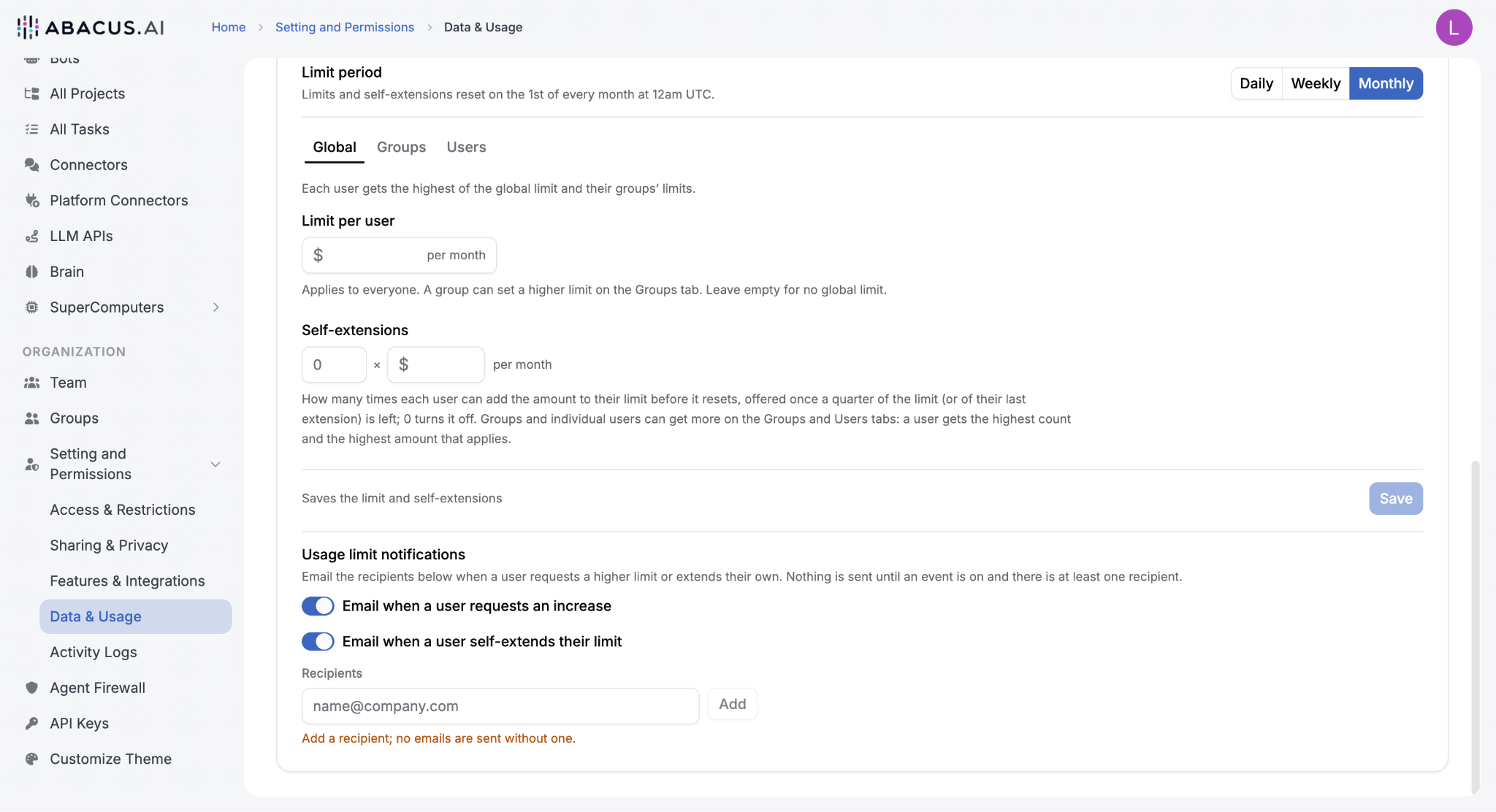
Administrators can configure the number of extensions allowed and the additional amount per extension, by person, group or managed globally. Extensions remain active until the spending limit resets and are automatically included in the user's effective limit.
Microsoft plugins support for skills & connectors
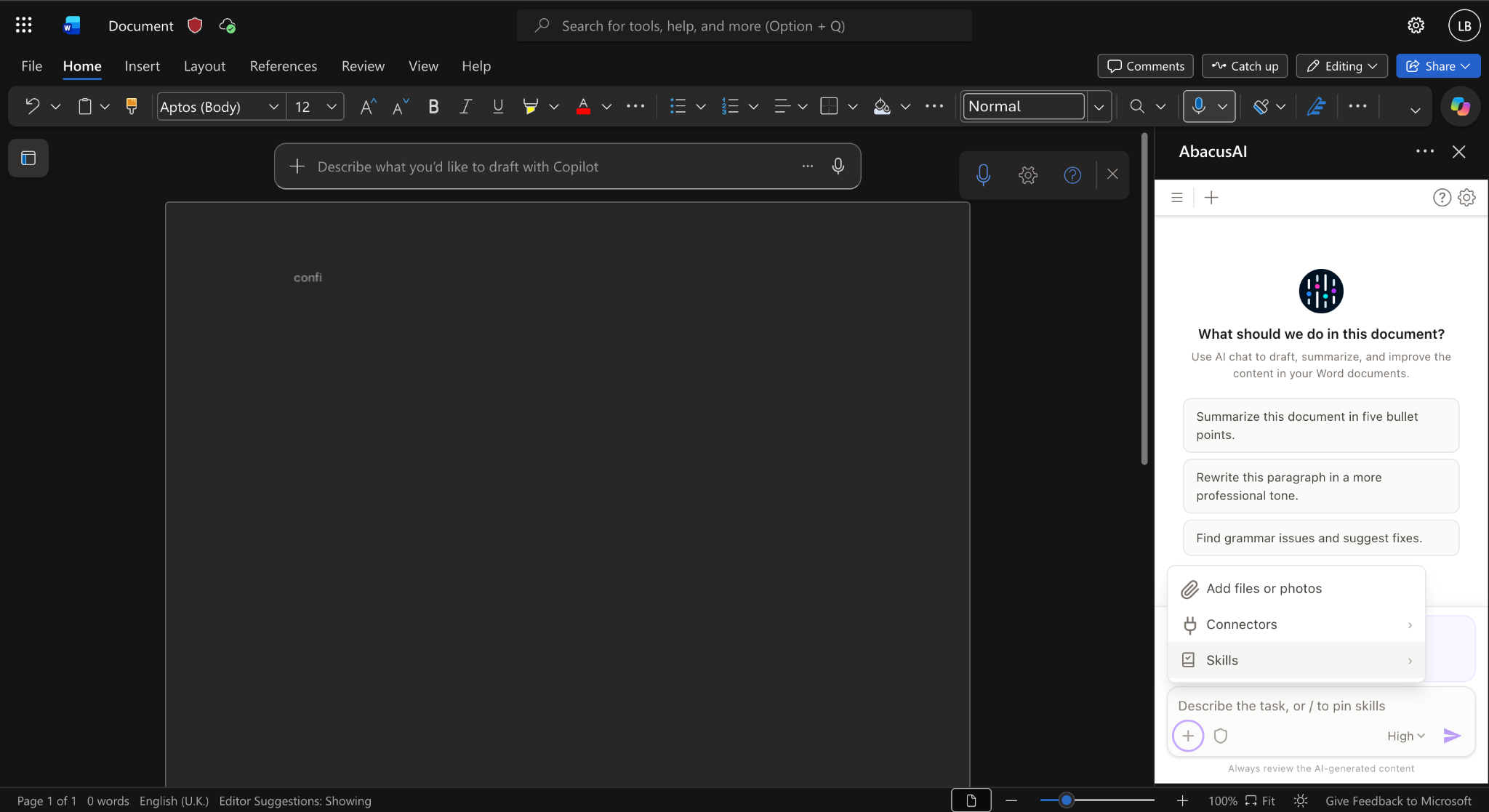
We have added support for accessing skills and setting up connectors across the Microsoft plugins. When using the Microsoft Office 365 sidebar, you can browse existing connectors and navigate to the Abacus.AI platform to connect new ones. In this release, we also added support for utilising pre-existing skills.
Shopify Connector
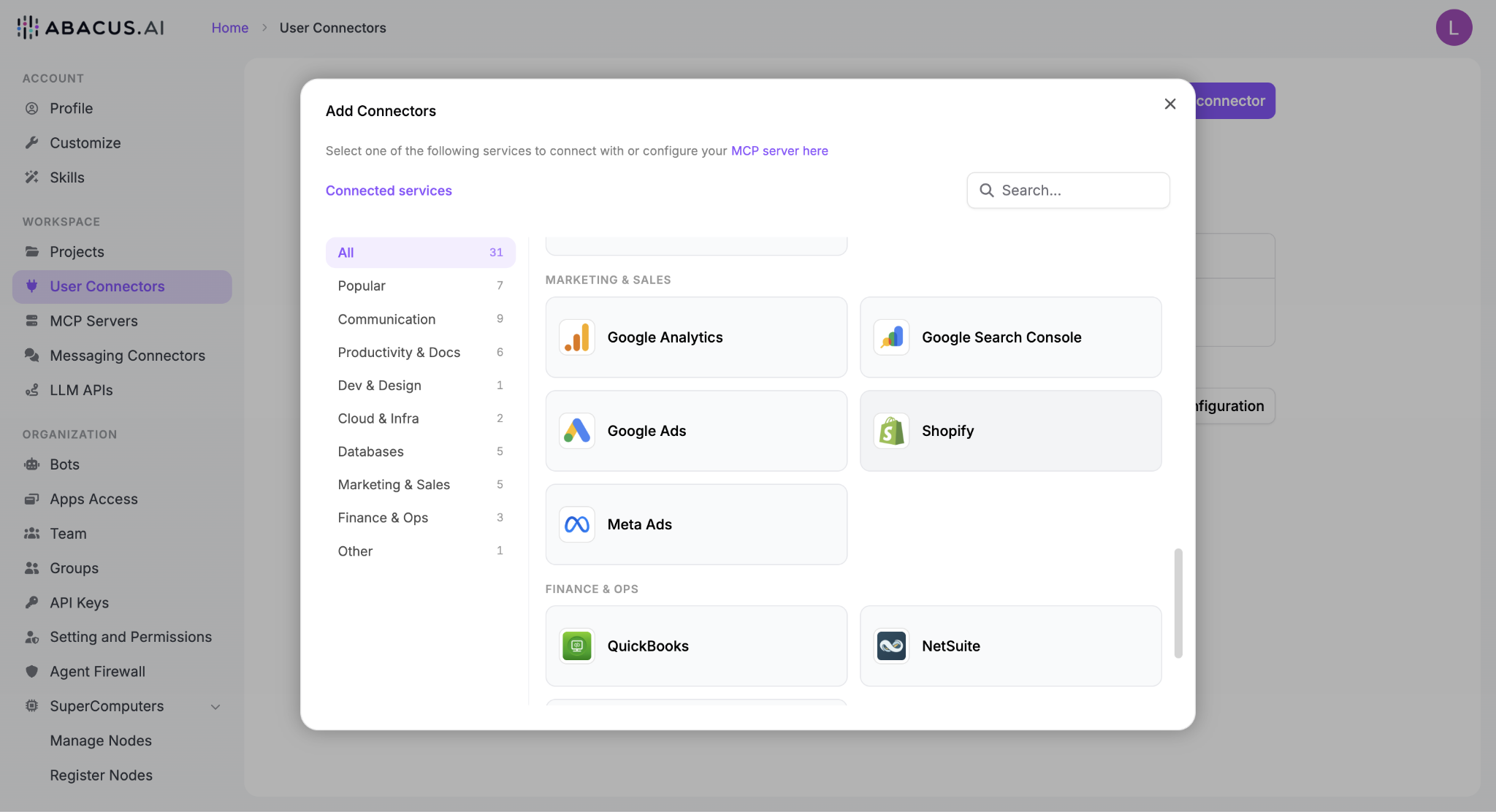
Connect and interact with your existing Shopify store in Abacus.AI without leaving your chat conversation. This connector provides read-only access, enabling you to interact with your customer data, staff data and your store data such as customers, products, orders and discounts. You can query sales and order activity, such as how many orders you received today or historic refunds and returns. You can also audit your store catalog, better understand your customers or build dashboards to track store performance.
Write and edit capabilities are a planned future step for our Shopify connector.
Extended Thinking Models
We've updated our default model lineup to prioritize stronger reasoning and more capable responses. Fable 5 and 5.1, GPT -6.1 Sol, Opus 5.5 and Sonnet 5.5 now use their extended-thinking variants by default. Their non-thinking counterparts have been retired, which simplifies model selection while automatically giving you the benefits of deeper reasoning.
Project Level Ownership Transfer
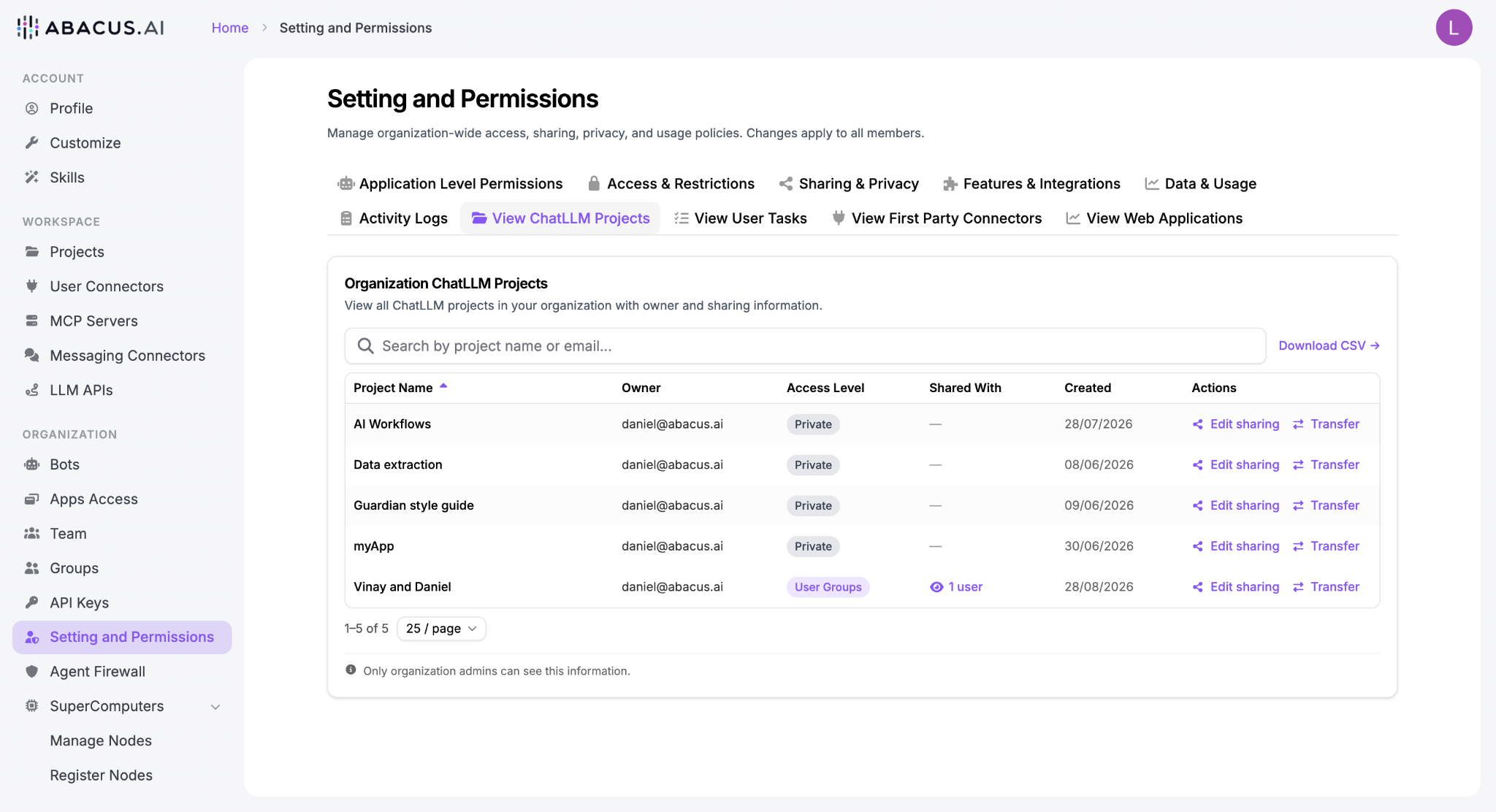
We previously introduced the ability to transfer ownership of individual projects between users, and it now includes chats and artifacts from task runs. To transfer ownership, navigate to Settings and Permissions > View ChatLLM Projects and you will see an option next to your projects called 'Transfer'.
Dashboards, Stories and animated presentations
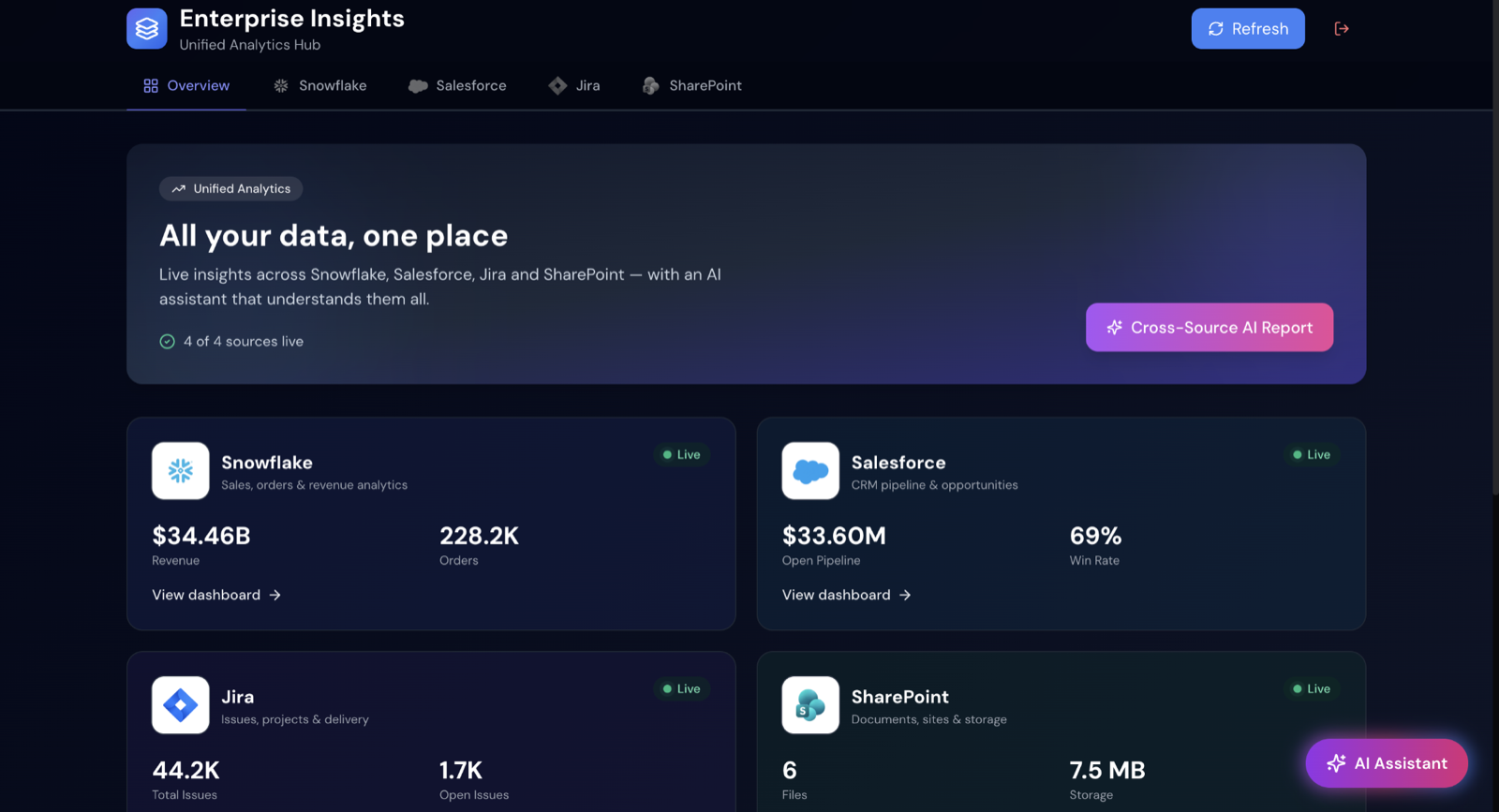
Soon, every data analysis in Abacus AI Agent can end in something you can share. After the agent analyzes a dataset, it builds a companion dashboard on its own. Any analysis or document can also become a Story: an interactive, step-by-step walkthrough of the findings with its own share link.
-
A live dashboard appears automatically after a first data analysis.
-
Turn an analysis or document into a Story with the Story button, or type /story in the chat box.
-
When you ask for a presentation, choose Classic or Animated. Animated decks get slide transitions and entrance animations.
-
Dashboards and Stories open in the right pane and can be shared with a link.
More control for administrators
Alongside the admin UI refresh we announced, a set of governance controls is on its way for enterprise organizations:
-
Weekly spending limits: Chat spending limits can be set per week, alongside the existing periods.
-
Datadog Export for logging supported: Export logs directly to Datadog for observability and compliance.
New connectors, data sources and models
More of your company's data and tools can be reached from the assistant, and new models are joining the picker.
-
Microsoft OneNote: Connect your notebooks so the assistant can read and search them.
-
X Ads: A first-party connector so agents can work with X advertising campaigns.
Web App Builder
The Abacus.AI Agent web application builder is a general-purpose feature that builds full-stack web and mobile apps from a single prompt with no coding required. It generates the frontend, backend, user authentication and payment or data integrations directly from your description. It combines leading foundation models like GPT-6 Astra, Opus 5.5 and Gemini 4 Argon in one workspace. Watch our demo here.
Project-Based Agents
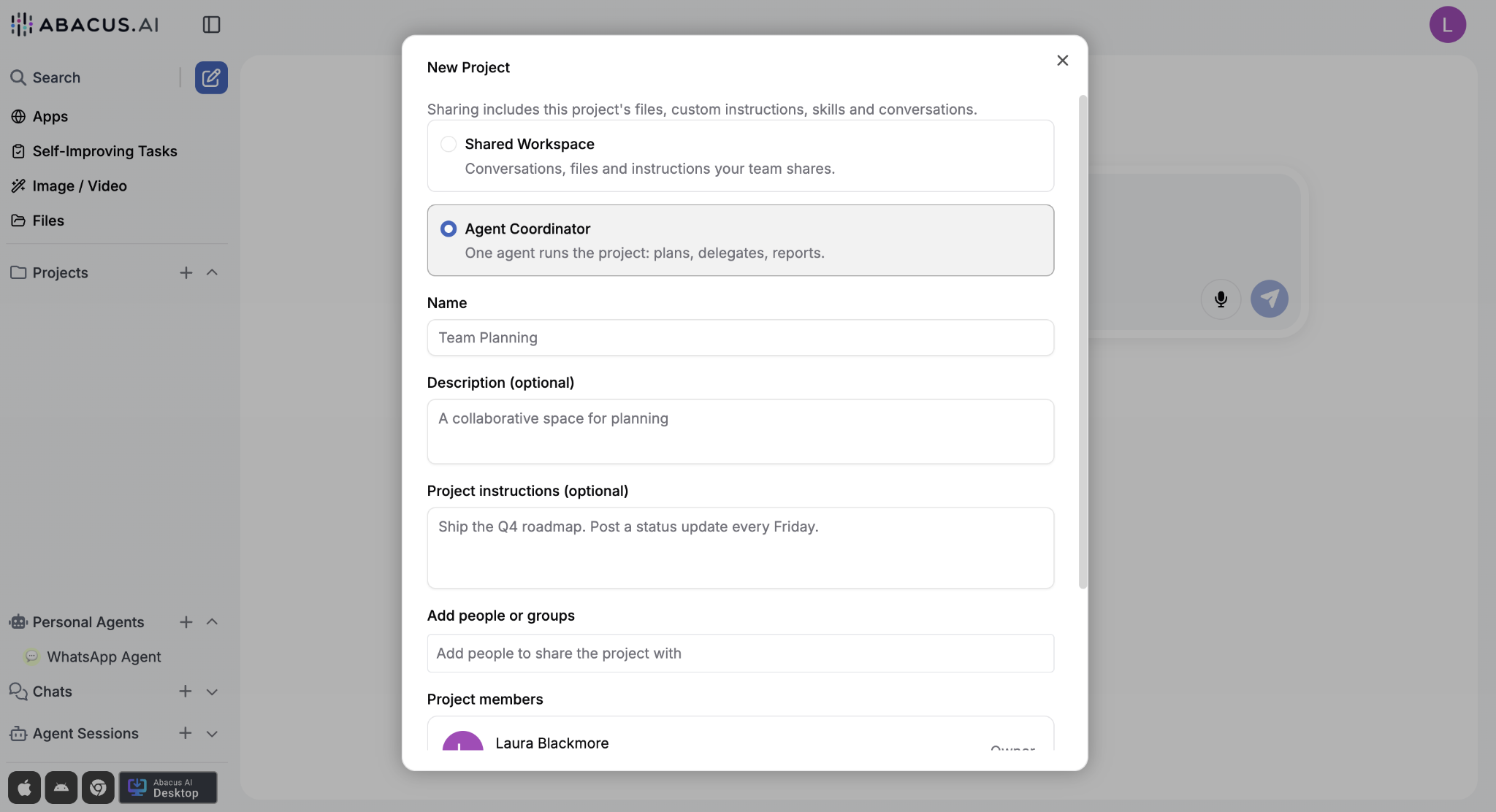
You will be able to set this up when creating a new project by selecting the Agent Coordinator option - Giving you a dedicated AI teammate that knows the content, takes on work and keeps things moving, even when you are offline. Your AI teammate can analyze project data, build internal dashboards or prepare documents, using data from the project.
Master Agent
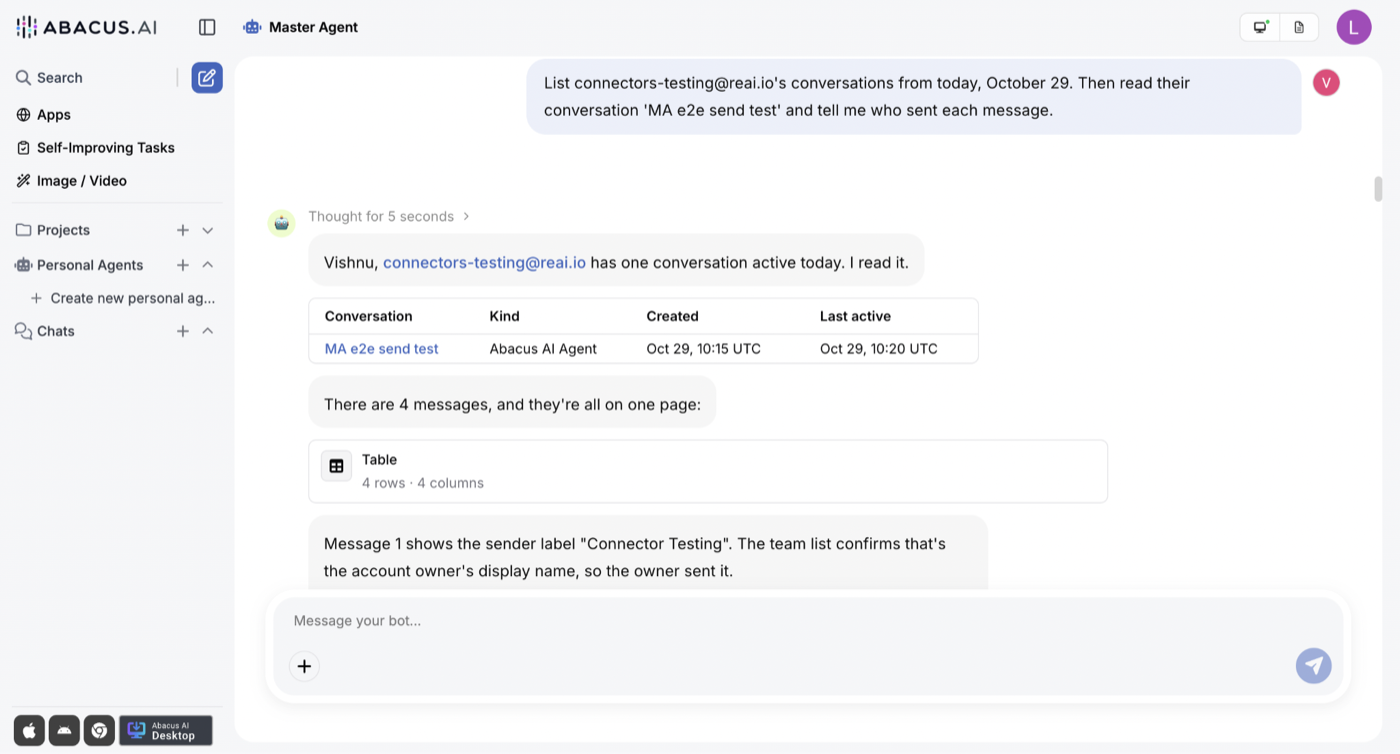
Take control of your organization through a single conversational interface. Master Agent lets admins ask questions about their organization, manage users and permissions, configure settings, control app access, and monitor usage and spend. Every change is presented for your approval, keeping you in control, while scheduled reports help you stay on top of organizational activity.
Key capabilities include:
-
Make changes in plain language: Simply describe what you want, e.g., turn off the finance skill for the whole org
-
You stay in control: No changes take effect without your explicit approval through an Apply action and there is an undone feature
-
Secure and auditable: Changes are made through the existing API's under your admin identity, preserving permission checks and audit logs
-
Direct navigation: Responses link directly to the relevant admin settings sub-page, making it easy to review and manage configurations.
Access Web Apps through Network Ingress
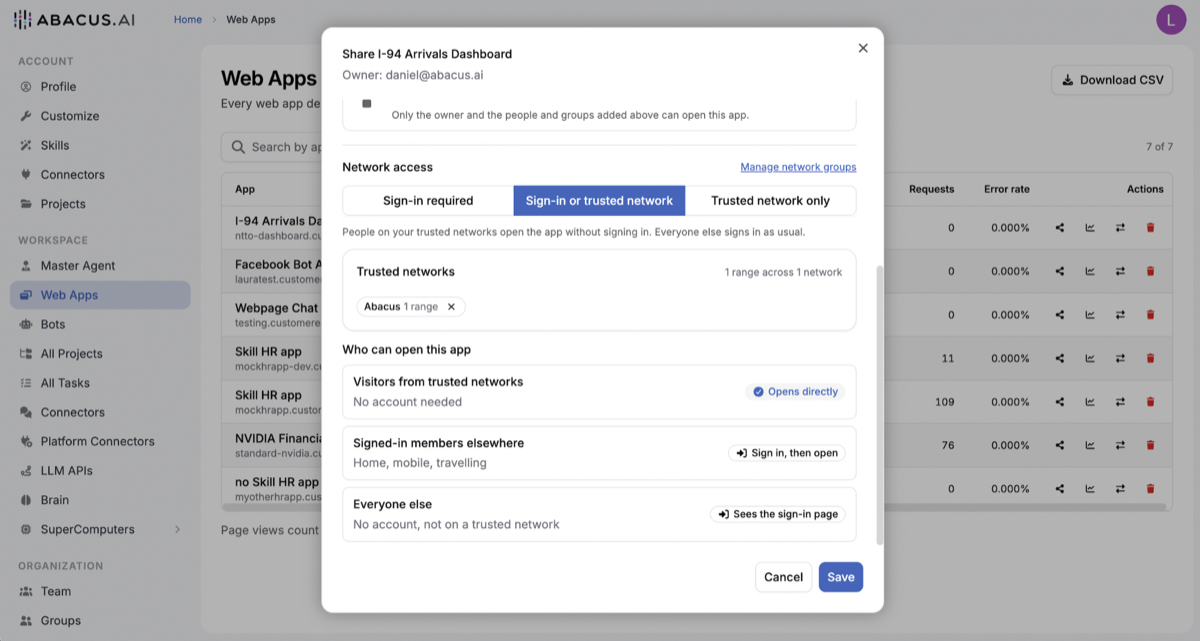
You can now control access to enterprise-hosted web apps using Network Ingress rules configured in Agent Firewall. This allows you to securely define which network destinations agents can access. To enable this, navigate to Organization > Agent Firewall > Inbound to configure your network groups, then go to Profile > Web Apps > Sharing to enable network access through a trusted network. This provides greater control over agent connectivity while enabling access to internal enterprise applications.
Introducing handle messaging in custom bots
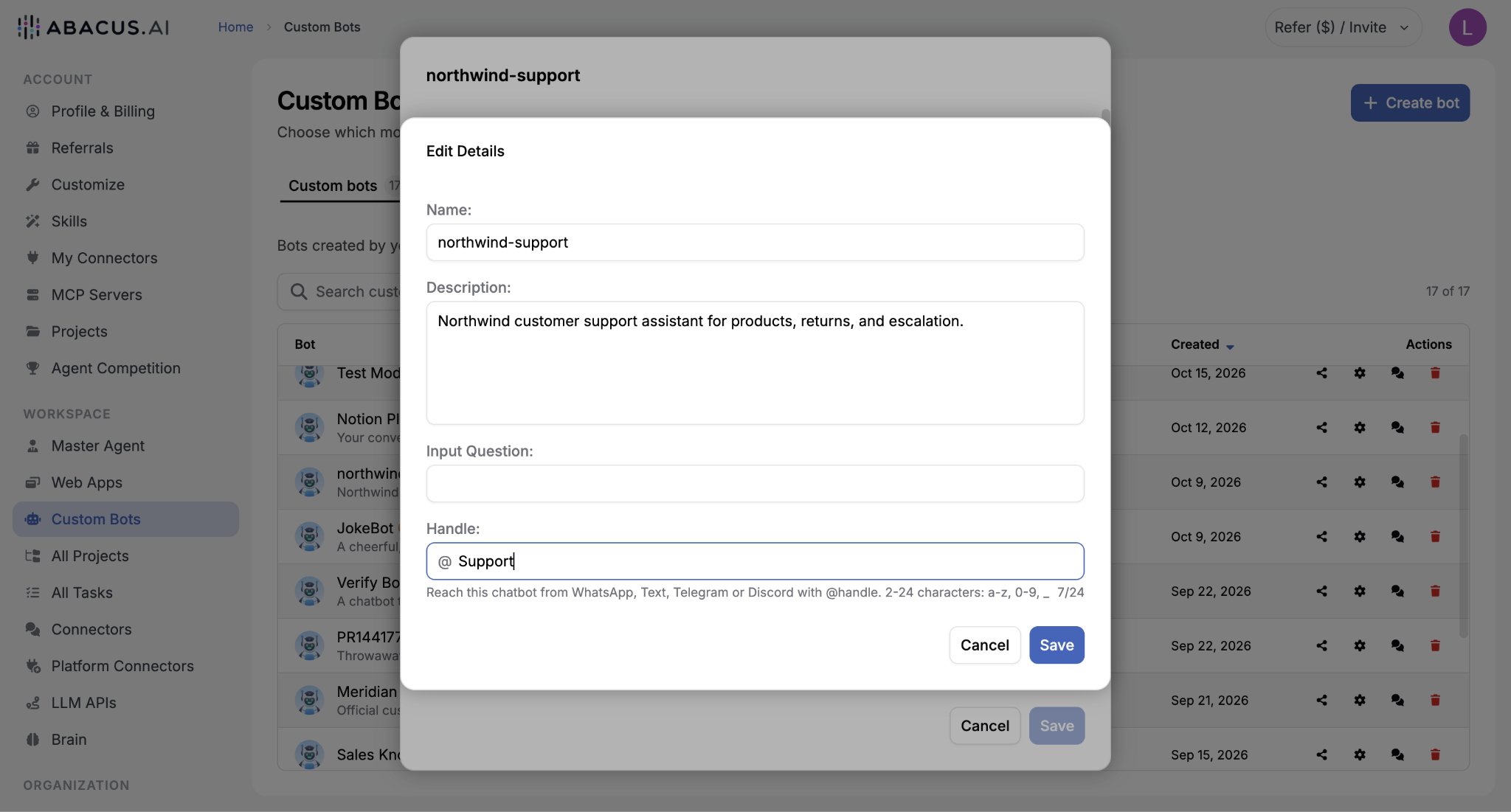
You can now interact with any custom chatbot in your organization, or another one of your personal agents, directly through your paired phone, WhatsApp, Telegram or Discord channel. Simply start your message with the chatbot's @handle to route your question to the right agent; responses will be delivered back through the same channel and clearly labelled with the chatbot's name. To enable, simply edit your custom chat bot and include a Handle.
Google Plug-in
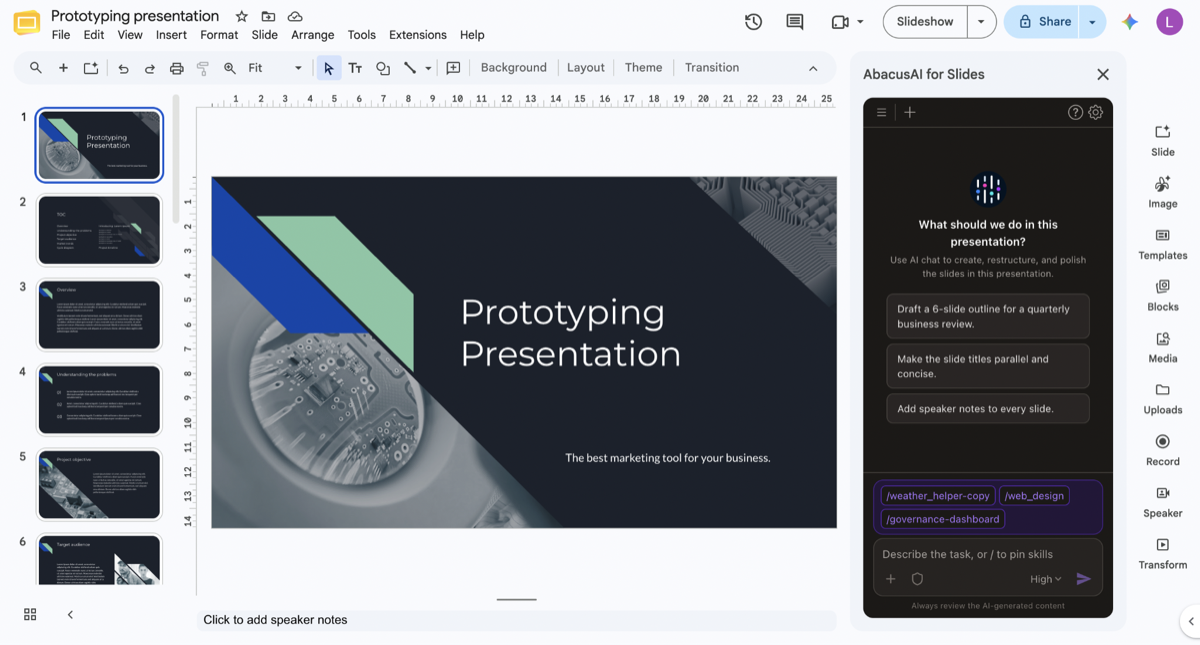
Bring the power of Abacus.AI directly into Google Docs, Sheets and Slides with our new Google Workspace plug-in. Access your agent from a convenient sidebar and use natural language to draft and rewrite content, summarize documents, analyze spreadsheet data, generate formulas and charts, and create and edit presentations. Work directly with the files you have open, without switching between applications. The plug-in also connects with your organization's enabled tools and integrations, making it easier to bring AI-powered assistance into your everyday workflows. Once installed, the plug-in sidebar can be accessed through Extensions > AbacusAI > Open AbacusAI.
New Models
A number of new models have been made available:
- Gemini 4 Argon - Argon is now available in the model picker and is the world's best at data analysis. See the results on LiveBench 2.0.
- Kimi 3.1
- GPT Terra 6.1
- Sol 6.1
- Muse Wonder
A number of models have been deprecated:
- Ideogram 3.0 replaced by ideogram 4.5
- GPT 5.4 Cyber
- Gemini 2.5 series (Pro, Flash, Flash-Lite)
- GPT-3.5-turbo-0125, GPT-4-0613, GPT-4-1106-preview, GPT-4-turbo, GPT-4.1-nano, GPT-4o-2024-05-13, GPT-image-1, o1, o1-pro, o3-mini, o4-mini – Replacement: GPT-5.6 series or GPT-6
- Veo 3.1 preview models, gemini-omni-flash-preview - Replacement: gemini-omni-1.1-flash
- Deep-research-pro-preview-12-2025.