April 2026 Platform Update
Abacus Webinar
The Abacus team will be hosting a webinar on Wednesday May 20th, 9am PST, focused on using the platform to build AI Workflows and custom Chatbots. You can register for the event here.
Super Assistant
April brought some major expansion of Abacus AI Agent capabilities — including multi-agent collaboration with Agent Swarms, smarter cost controls with Effort Levels, richer app-building tools with Design and conversation-level Skills selection. As well as introducing a new app only role.
New Models
A whole host of new models have been made available in the platform over the last month:
- Anthropic's Claude Opus 4.7
- OpenAI's GPT-5.5 (including the Thinking, Pro and Instant versions)
- X.AI's Grok 4.3
- Kimi K2.6 Thinking
- Deepseek V4 Pro & V4 Flash
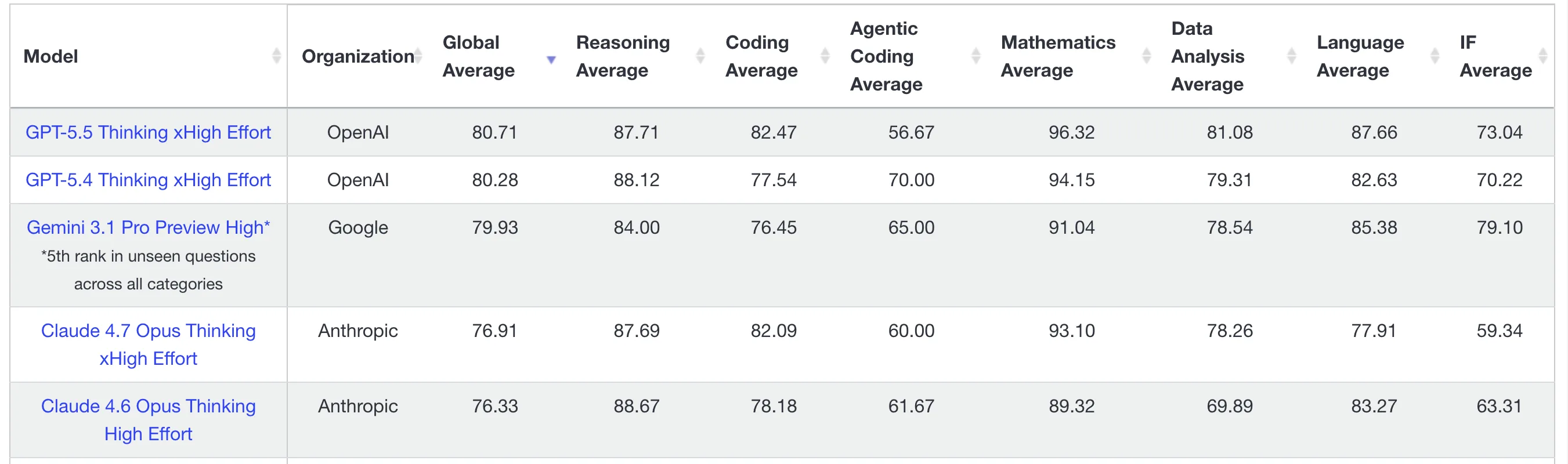
To find out how a range of models perform don’t forget to check out our benchmark, LiveBench
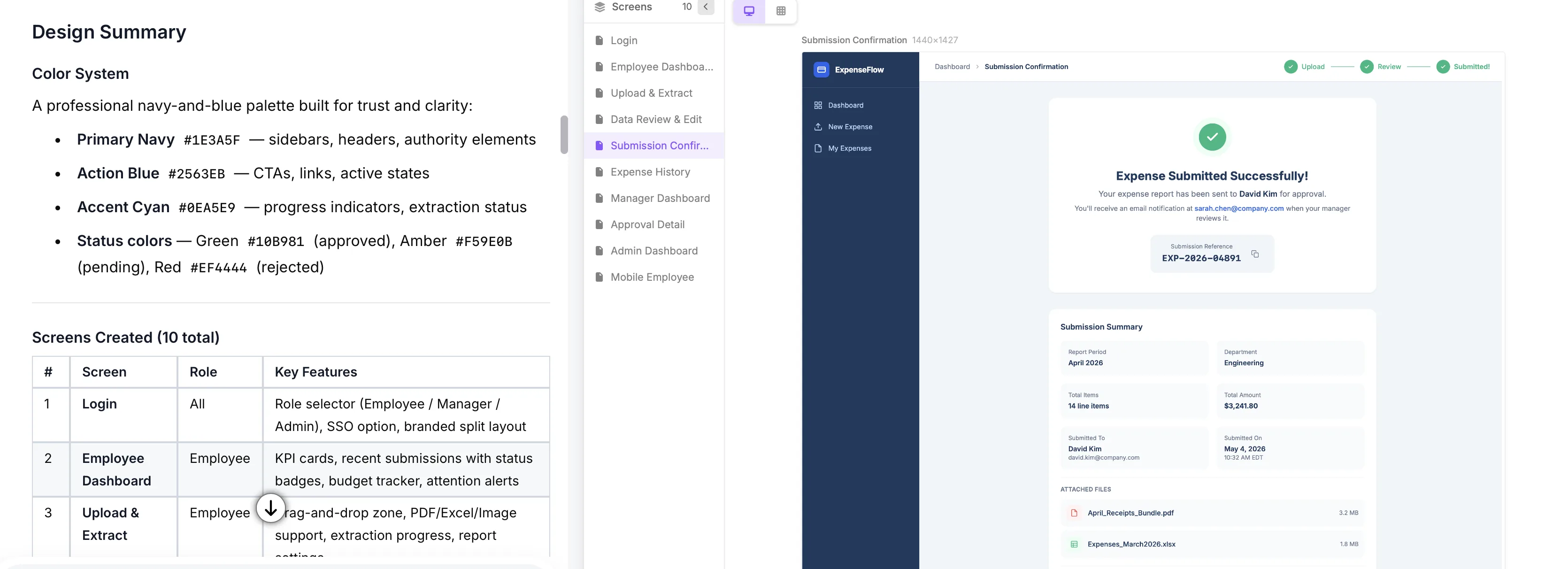
Abacus Design
A new feature for optimization of building UI designs and wireframes is Abacus Design, which is available as part of the Abacus Agent. Instead of using the Agent to build fully fledged apps it can be prompted instead to build only the design elements of an app or dashboard. This significantly reduces token use for projects where you want to iterate on a design or built multiple variations, before transitioning to a full application.
Effort Levels
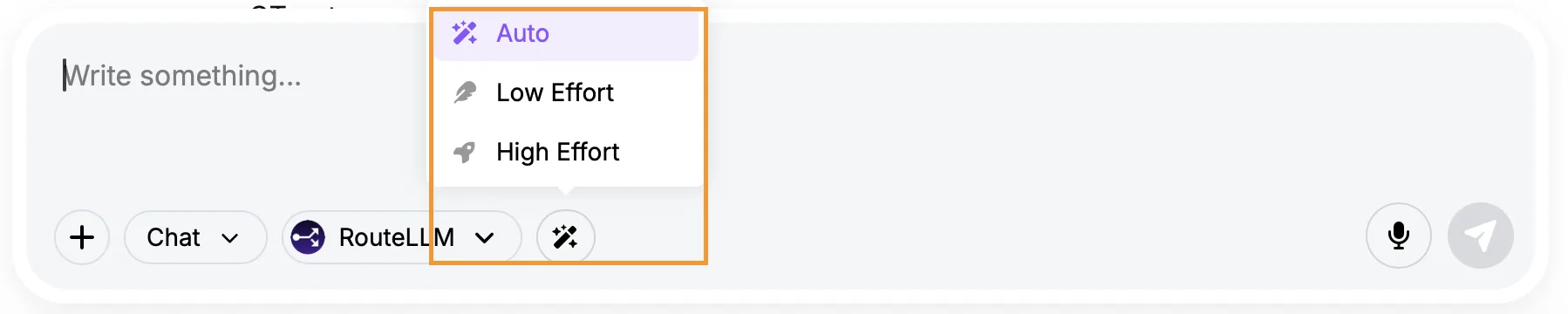
You now have direct control over how much effort is used during Super Assistant chats and AI Agent tasks. The Effort Level option is available when using RouteLLM in chat mode, or when you select Agent mode, and gives you the option between Auto, Low Effort and High Effort. Low Effort mode routes to using cheaper models (with lower thinking levels, when required), which allows you to optimize the cost of completing simpler tasks that don't require more expensive compute.
Keeping this set to Auto is the default recommendation for balancing cost and performance effectively.
Agent Swarms
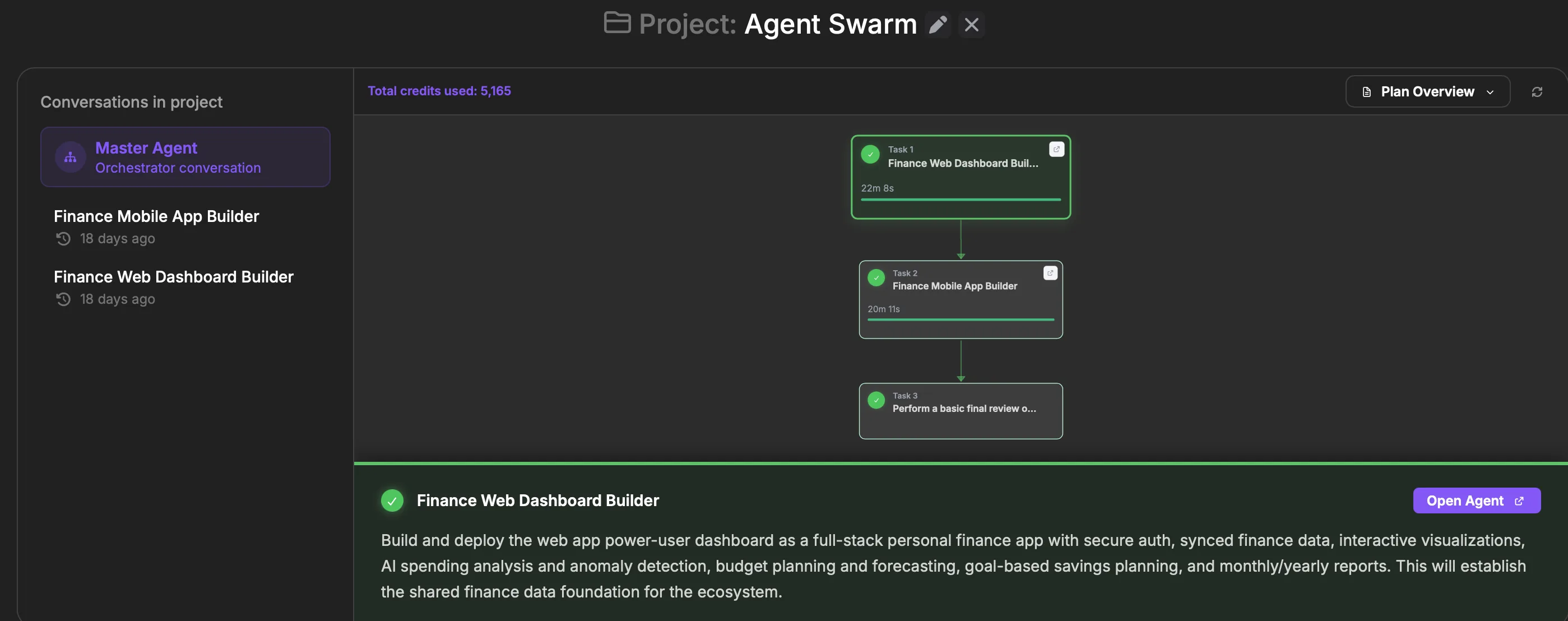
Abacus AI Agent can now orchestrate multi-agent swarms — coordinating several AI Agents to tackle multiple tasks collaboratively. Take this prompt as an example:
Build a full-stack personal finance ecosystem consisting of: A mobile app (iOS + Android) for daily expense tracking with features like smart categorization, receipt scanning, recurring expense detection, and real-time insights. A web app that acts as a power-user dashboard with advanced capabilities such as: Interactive visualizations, AI-powered spending analysis and anomaly detection and Budget planning. Ensure both apps are seamlessly synced via a shared backend.
With normal Abaucs Agent use this would require building one application first and then using the database to seed a new conversation to build the second application. This approach is much less efficient than the swarm approach as it requires you to build the apps in succession, rather than in parallel. But more importanly swarms are able to assess requirements for both applications simultaneously when designing and building the shared infrastructure, which means fewer iterations and re-builds than before.
Note that although there is a low-effort swarm mode available this can be a very token intensive process, so should be used with caution.
To activate swarm mode the task must be started from inside a project. Aabcus will then create multiple conversations for each ot the subtasks, with one master conversation managing the entire process:
Conversation-Level Skills
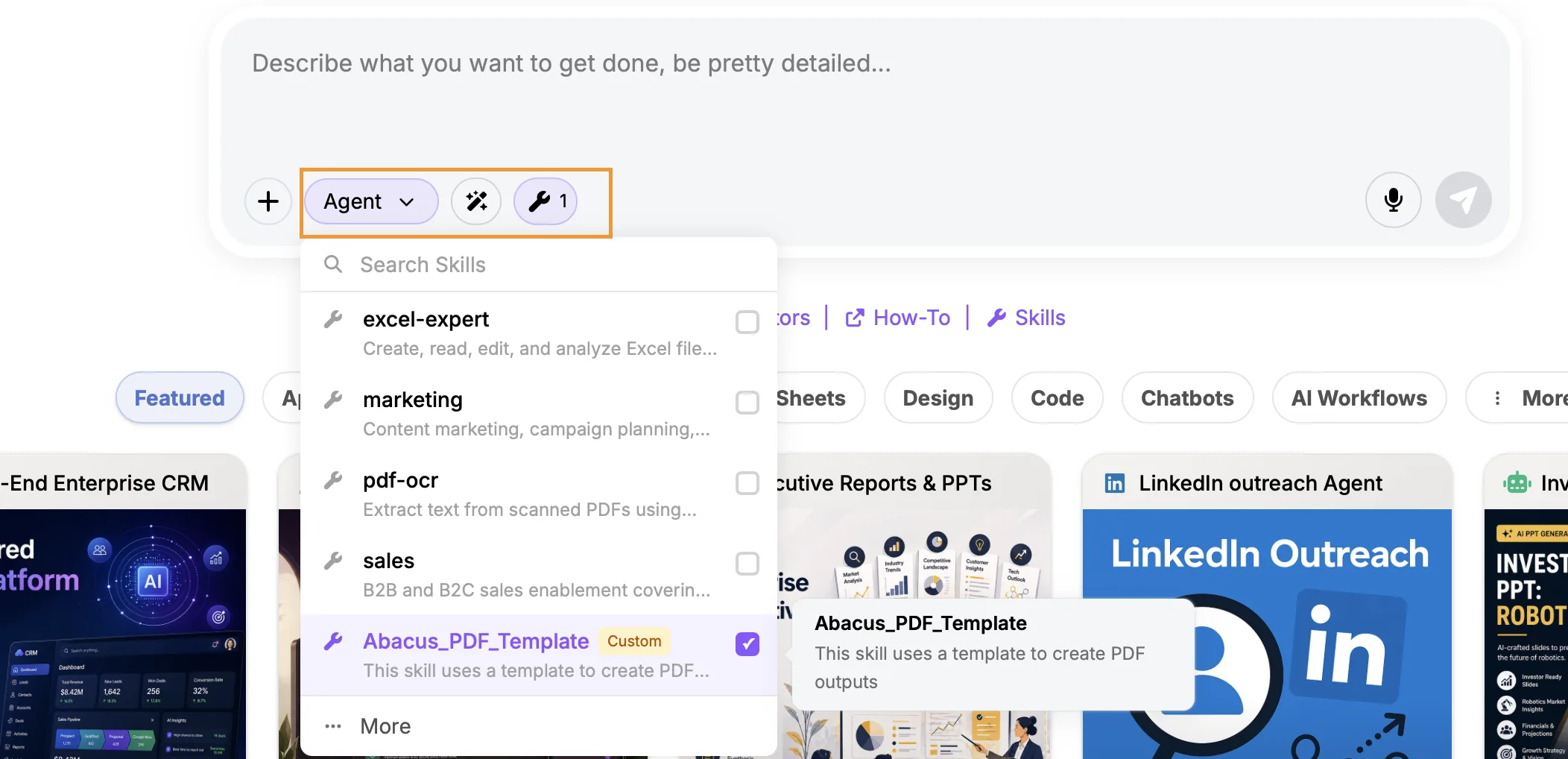
This new option allows you to select specific skills the Abacus Agent should use for a particular task, rather than relying on it selecting from the global set of skills available. Skills pre-selection like this removes the non-determinism of the Agent selecting the correct skill, especially where you have multiple similar skills available for it to use.
To enable this use the small wrench button when selecting Agent mode.
App-Only Role
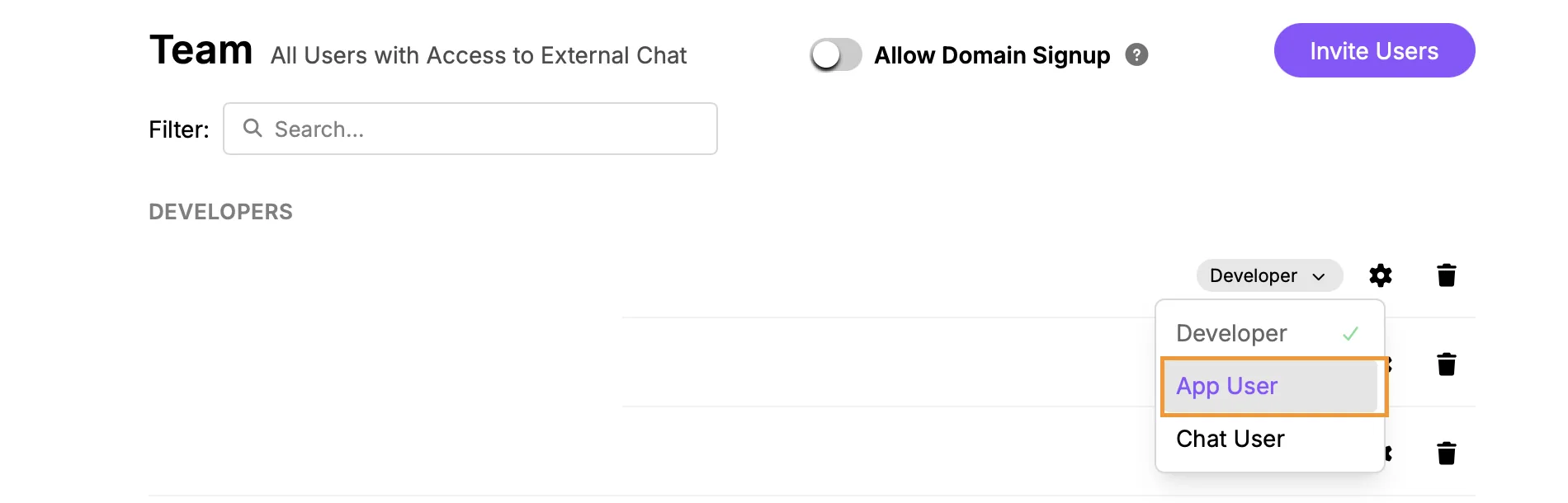
A new App Only user role is now available for AppLLM. This allows administrators to grant users access exclusively to deployed apps — without exposing the broader ChatLLM workspace, agent capabilities, or admin settings. Perfect for distributing internal tools or customer-facing apps to users who only need to interact with the finished product.
This role can be manually assigned in the Team menu: navigate to Profile >> Groups and Permissions >> Team. For customers using SSO a new app_user role can be created, see our documentation for more details.
Admin Updates
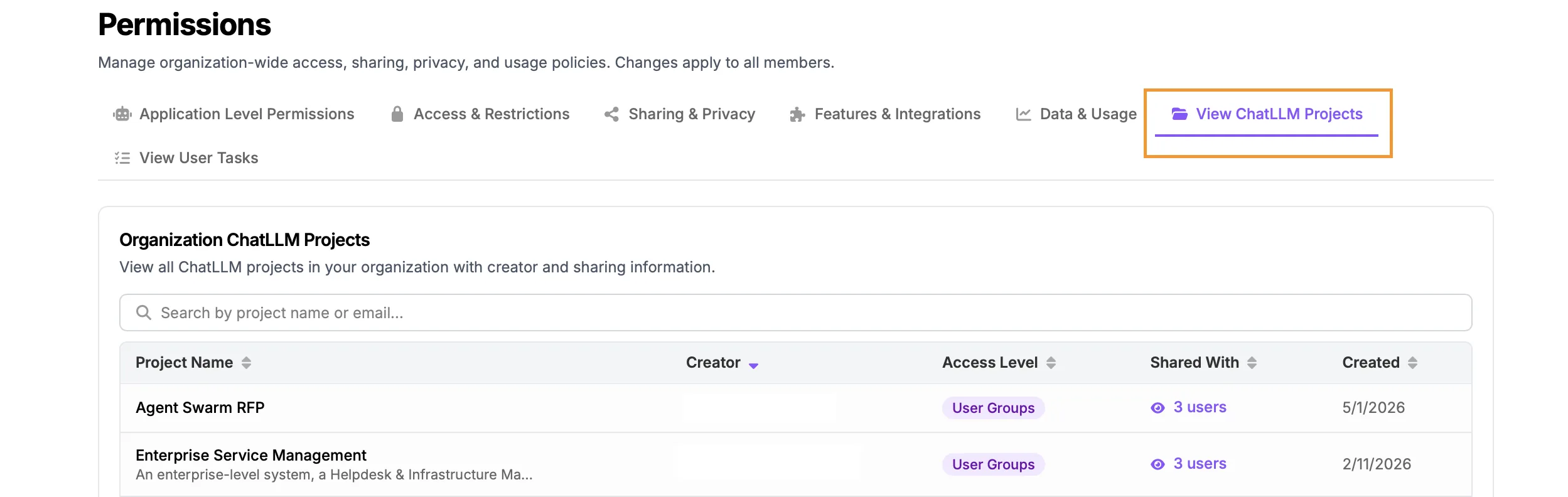
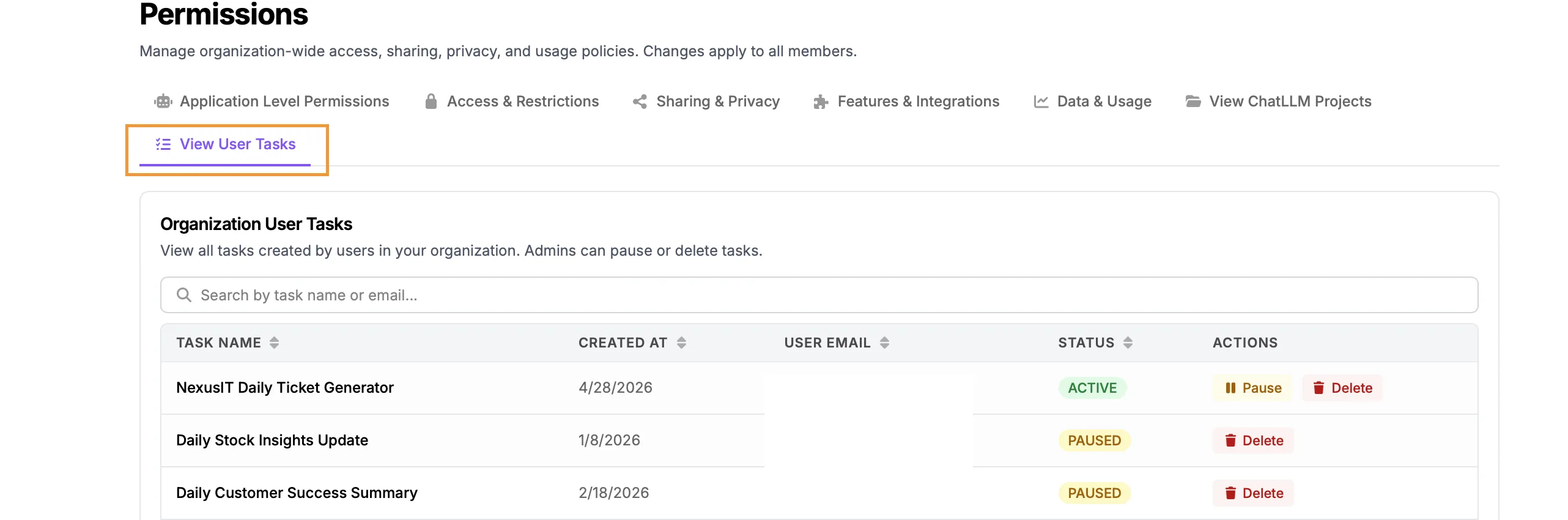
Several new admin controls have been added to the platform this month. All of these options can be viewed in the Permissions tab, accessed through the Profile menu >> Groups and Permissions >> Permissions:
- View Shared Projects Admins are now able to view all projects in the organization that have been shared with specific users or groups. Use the View ChatLLM Projects tab to see information about the projects themselves and which users they have been shared with
- Manage User Tasks The View User Tasks tab allows admins to now see and manage all tasks that are running in the organization
- Manage Media Generation Access This option allows admins to control who can access image, video and speech models for generating content
